









































According to reports, roughly one in three 3D prints never reaches completion, resulting in waste. Every maker knows a bin, the one filling up with failed prints, calibration rejects, leftover purge, and end-of-spool scrapes. 3D printing waste causes major environmental issues that require instant action. Adopting smarter solutions, such as recycling your waste into a new filament, can efficiently minimize these challenges. This guide describes the complete picture, from cutting waste at the source to what you can actually do with what’s already piled up. Also, it introduces a new solution that lets you turn that waste back into usable filament.
4 Common Types of 3D Printing Waste Piling Up in Your Bin
There are several varieties of 3D printing waste, each with unique properties and issues. Not everything in that bin is the same, and not all of it is destined for the trash.
Here are the most common types of waste FDM printers generate:
|
Waste Type
|
What It Is
|
Recoverable?
|
|
Failed prints
|
Botched or incomplete models
|
Mostly Yes
|
|
Support structures
|
PLA, PETG, or ABS supports
|
Sometimes
|
|
Purge material
|
Ooze and nozzle purge blobs
|
Yes, with the correct system
|
|
End-of-spool scraps
|
Leftover filament too short to use
|
Yes
|
|
Calibration misprints
|
First-layer tests, flow rate checks
|
Often yes
|
The good news: the majority of this material is thermoplastic. Put differently, it was melted once to become filament, and in various cases, it can be melted again. However, the incorrect disposal of PLA can still cause environmental concerns.
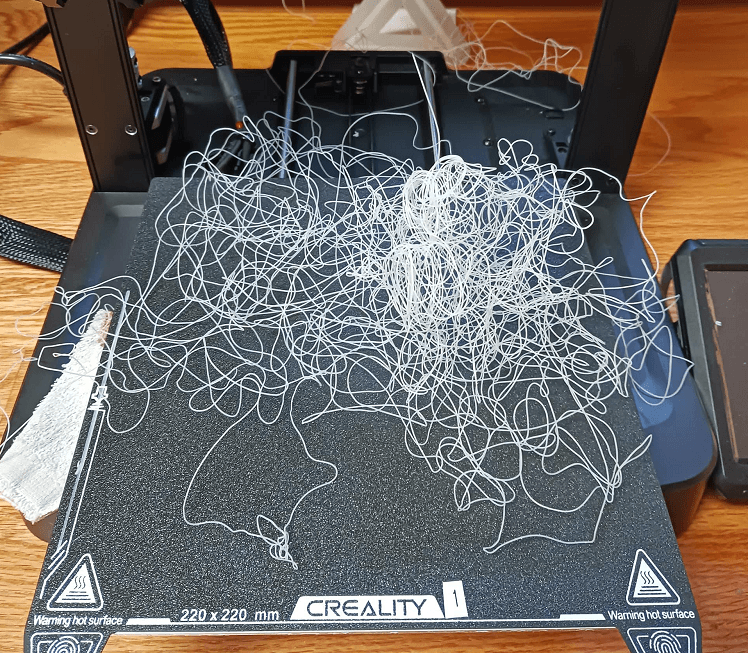
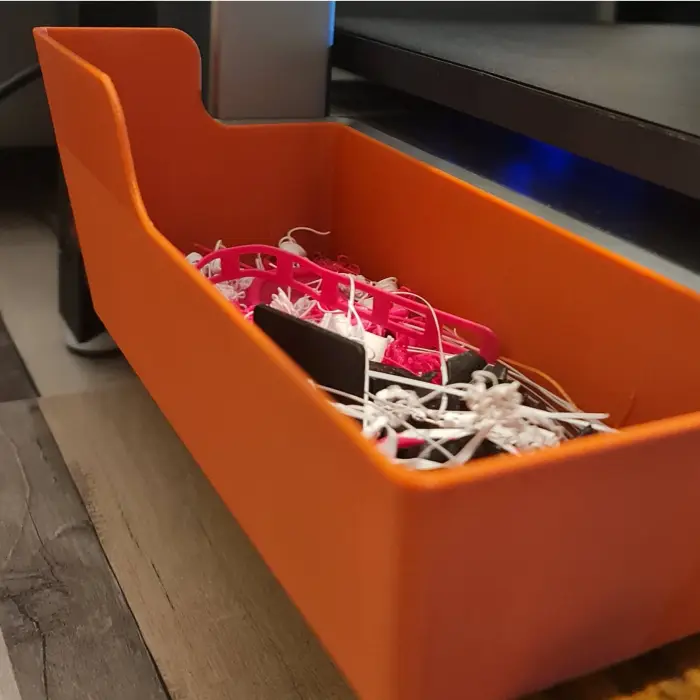
Step One: Cut Down the Waste Before It Happens
The most impactful thing to do with 3D printing waste is to stop producing so much of it. That seems obvious; however, most makers skip the basics and question why their failure rate remains high.
Here are some habits that matter most:
Dial In Your Slicer Settings
Slicer settings are where most waste begins. Initial layer height, print temperature, retraction distance, support density, every one impacts the way the print comes out.
-
Fix your first layer height to 0.2mm or match it to your nozzle size.
-
Adjust retraction to lower stringing (generally 1-6mm based on your extruder kind)
-
Inspect your flow rate before big prints, over extrusion wastes material quickly
Test Small Before You Commit
Before you print a 6-hour model, perform a 10-minute test of a critical section. Check the overhang, the first layer adhesion, and the wall thickness. Identifying an issue at 10 minutes costs almost nothing. Identifying it at hour 5 costs a lot of plastic.
Use Tree Supports or Adaptive Supports
Traditional grip supports waste material. Adaptive supports and tree supports use notably less plastic while still doing the job. Most innovative slicers (Creality Print, Cura, OrcaSlicer) have these integrated; use them.
Dry Your Filament
Wet filament is among the most common causes of failed prints and among the most overlooked. Moisture results in:
-
Bad layer adhesion
-
Oozing and stringing
-
Bubbling and popping sounds during extrusion
-
Inconsistent extrusion width
Store your filament in sealed bags or dry boxes. Dry it before printing if it's already absorbed moisture. PLA typically needs 4–6 hours at 45–50°C.
What Makers Have Always Done with Failed Prints And What's Actually Worth Trying
Makers have been handling print waste since the first FDM printer was introduced. In recent years, a few go-to solutions have emerged. Some are actually beneficial. Others sound better than they actually solve in practice.
Below is an honest look at each and why none of them fully closes the loop.
The Creative Reuse Approach (Still Worth It for Some Scraps)
Firstly, makers try reusing failed prints creatively, and for small volumes, it actually works.
-
Failed prints generate decent practice material for painting, sanding, and post-processing techniques.
-
Small scraps can become mosaic pieces, filler material, or texture experiment samples
-
Structurally sound rejects, a bracket that printed slightly off, a spacer with a small cosmetic error, can still work perfectly as shelf supports, cable holders, or workshop organizers.
This approach has actual value. But it has a limit. When you bin hits a particular volume, creative reuse falls behind.
Donate or Share It (When the Waste Is Clean)
Some people hand over their scraps to makerspaces, schools, or fab labs. Sometimes these spaces welcome usable material, particularly for beginner workshops where print quality is not crucial.
Moreover, online communities help. Several Discord maker groups, and Reddit's r/3Dprinting, occasionally run scrap swap threads where members trade usable offcuts.
The catch: These outlets only need clean, single-material, unpolluted pieces. Mixed-material waste, for example, a PLA print with PETG supports, is rarely accepted. That rules out a significant chunk of what most active makers produce.
The Smarter Solution: Recycle Your Waste Into New Filament at Home
The failed prints sitting in your bin can become the filament on your next spool. Yes, desktop filament recycling is now a fact, and it changes the whole equation for how makers tackle waste.
The concept is simple: shred your waste plastic into little granules, feed those granules into a filament extruder, and get useful 1.75mm filament out the other side. No shipping to a facility, or sorting by resin code, no wondering if it actually got recycled.
Introducing the Creality Filament Maker M1 & Shredder R1
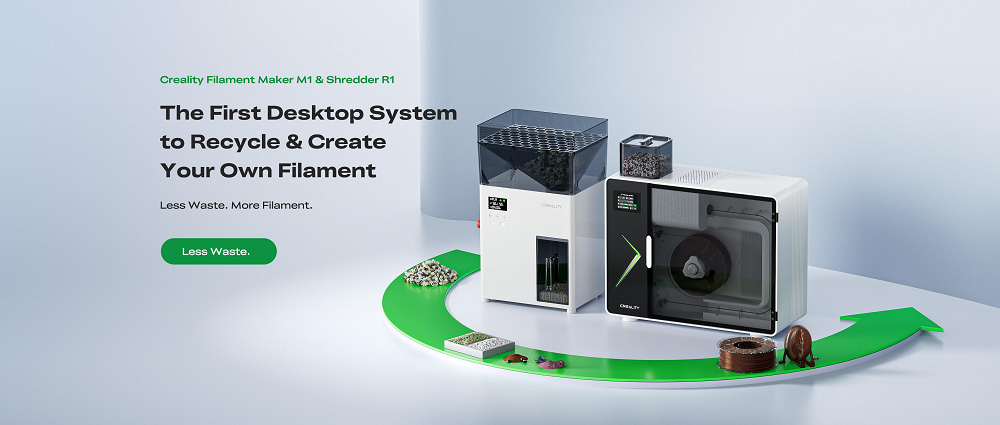
Creality has built the first desktop system designed particularly for this workflow, the Filament Maker M1 & Shredder R1. Together, they form a full closed-loop filament setup that sits right next to your printer.
Below is how the two tools function together:
Shredder R1: Turn Waste Into Raw Material
The R1 receives your failed prints, purge blobs, and support scraps and breaks them down into consistent granules ready for extrusion.
-
Creates particles of ≤4mm, uniform size for steady extrusion
-
Incorporated hybrid dry-crush function shreds and dries simultaneously without a separate drying step
-
Take purge scrap and irregular chunks up to 2cm directly
-
Bigger prints only require a fast manual breakdown before feeding-in
Filament Maker M1: Extrude Fresh Filament On Demand
The M1 accepts those granules, recycled, virgin, or a mixture of both, and extrudes them into print-ready filament.
-
Output up to 1 kg/h
-
Diameter tolerance of up to ±0.05mm
-
3-zone heating for stable, controlled melting
-
8-zone air cooling for accurate filament solidification
-
Supports temperatures up to 350°C
-
Suitable for PLA, ABS, PETG, ASA, PA, PC, TPU, PET
-
Integrated HEPA + active carbon filtration keeps fumes and fine particles out of your workspace
The M1 and R1 together close the loop that traditional recycling never could. Waste goes in. Filament comes out. You put it back on the printer.
That's not just sustainable, it's practical. And for makers who print regularly, the material savings add up fast. A custom recycled roll costs an estimated ~$5 to produce versus a market price of ~$15 for a standard spool.
Conclusion
3D printer waste does not have to be a dead end. Minimize it at the source, reuse what you can, dispose of the remaining responsibly. However, none of those alone will keep up with the volume if you print regularly. The Creality Filament Maker M1 & Shredder R1 resolve what traditional recycling never could, converting failed prints and purge scrap back into usable filament, right on your desk.
Waste in. Filament out. Back on the printer.
FAQs
Can you recycle 3D printer filament at home?
Yes. With a desktop system like the Creality Filament Maker M1 and Shredder R1, you can shred failed prints and extrude them back into usable 1.75mm filament, no third-party facility needed.
Is 3D printer waste recyclable?
Most of it is technically recyclable, but curbside programs rarely accept FDM plastics. A desktop filament recycling system is currently the most reliable way to actually process it.
What can I do with failed PLA prints?
Break them down and re-extrude them into fresh filament, reuse sound pieces as functional parts, or donate clean single-material scraps to a local makerspace.