

Creality Pika
Buy Now
Creality Pika
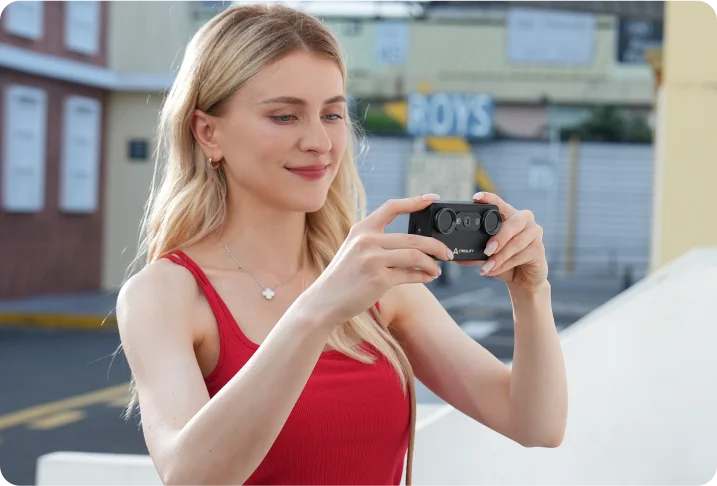
The World's First Smartphone-Like
Portable AI Scanner
Portable AI Scanner
Scan Like You Shoot
From Pro to Everyday
Companion
3D Scanning,
Closer Than Ever
All the Power. All in Pika
Bring 3D Scanning into
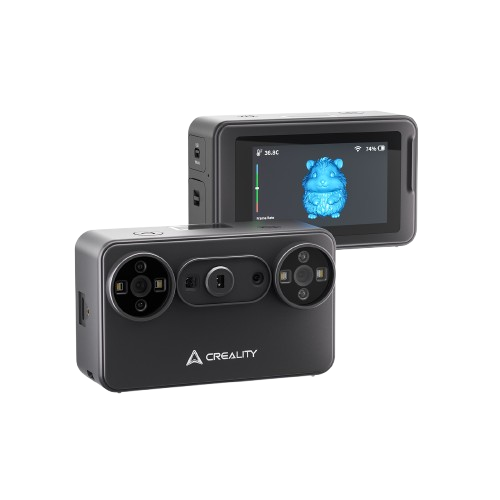
260g Body,Capture Ideas Anywhere
3
Connection Modes
IR filter, stable
scans in bright light
scans in bright light
Marker-Free
Laser Scanning*
Laser Scanning*
110 fps
Capture,
Smooth on the Move
Smooth on the Move
Dual Light, No Detail Left Behind
AI
Ease flow,
Easier Post-Processing
Easier Post-Processing
Gaussian Splatting,
New 3D Visuals
New 3D Visuals
Swap batteries,
scan longer
scan longer
More Creative MomentsTurn real-world inspiration into 3D creation
Got an idea? Take Pika and go
Light
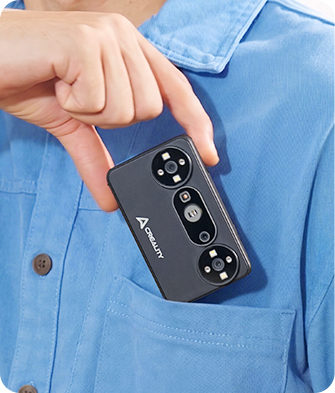
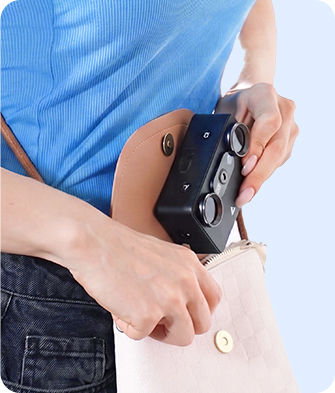
Just 260g and light enough to hold in your palm,
Pika brings 3D scanning closer to
everyday creation
Pika brings 3D scanning closer to
everyday creation
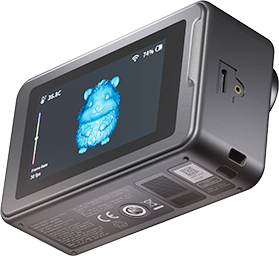
Compact at 100 × 60 × 35 mm,
Pika is small enough to take anywhere with full 3D scanning power inside
Pika is small enough to take anywhere with full 3D scanning power inside

3-inch HD
Touchscreen
Touchscreen

500 nitPeak Brightness
Wireless PC Mode
Connect to your PC via Wi-Fi for a cleaner, cable-free
desktop scanning setup.
Marker-Free Scanning.
Ready to Scan
*Available in wired PC scanning mode.
Ready to Scan
Marker-free laser scanning* cuts down marker setup,
so you can
start capturing real objects faster
so you can
start capturing real objects faster
Done scanning?
Let AI help with the rest
Let AI help with the rest
before
after
Import high-resolution photos captured with a phone or DSLR. AI
helps map real image textures onto the scanned model for finer,
more lifelike surface detail.
Ready for real-world scans”
Silky-Smooth Scanning on the MoveAnti-shake keeps handheld scans smoother.
One-shot 3D
imaging for NIR
PC: 110 fps
Mobile: 40 fps / 20 fps
PC: 110 fps
Mobile: 40 fps / 20 fps
Sun's Out. Scan's On
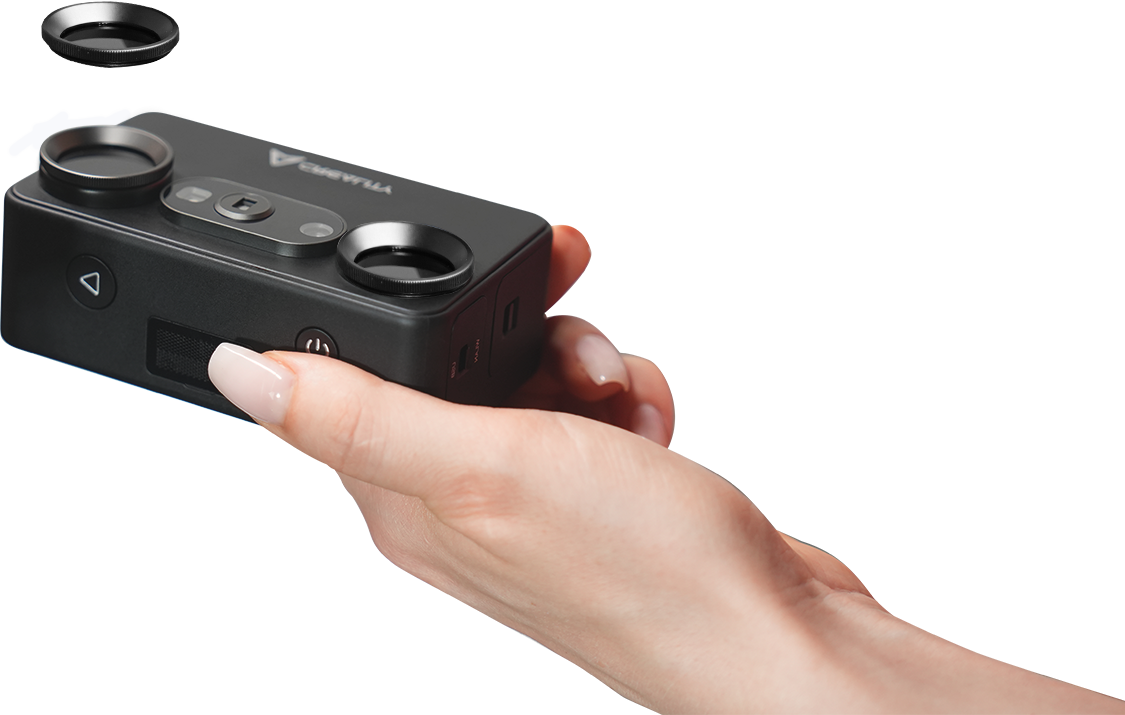
7 Parallel Blue Laser supports detail capture up to 110,000 lux, while NIR Structured Light with a filter reduces
bright-light interference up to 80,000 lux
for more stable scans.
Scan Black/Metal
Objects Without SpraysCaptures black/metal objects
without scanning spray.
Objects Without SpraysCaptures black/metal objects
without scanning spray.
Battery low? Swap
and scan again
and scan again
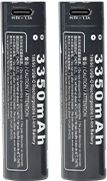
Includes two 3,350 mAh
quick-swap batteries—
use one, keep one as a spare, and swap when you need more
scanning time.
Built for better results”Dual-Light Scanning for Detail and True Color
7 Parallel Blue LaserBuilt to capture fine details and complex contours on small
objects like models, parts, and figurines.
NIR Structured Light
Supports body scanning and 24-bit full color
capture, with a removable IR filter for stable capture in
bright light.
Tiny Details?
Bigger Objects? Try BothFrom miniatures to larger creative references, capture real forms as usable 3D data
Bigger Objects? Try BothFrom miniatures to larger creative references, capture real forms as usable 3D data
20 mm


300 mm

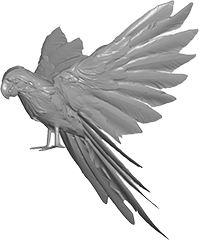
500 mm

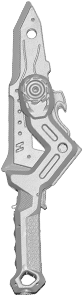
900 mm

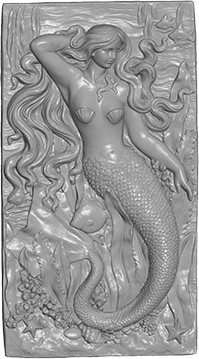
1700 mm

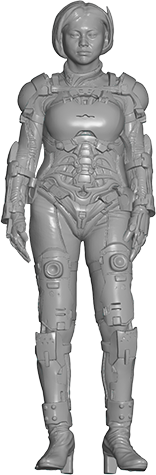
Accuracy: 0.03 mm
Scan Range: 10*10*10 mm³ – 2000*2000*2000 mm³
Pika turns real objects into editable 3D models, so every scan
can move beyond capture and into creation. You can refine your
model, use it for 3D creation and creative reuse, and export it
as STL / OBJ / PLY / ASC files to share with friends and
creative communities.
Professional Scan Software
Scan→ Model→ Create→ Share
Unlocks Pika's PowerCrealityScan gives Pika a complete software workflow, integrating scanning, optimization, and basic editing with clear visual guidance. With image and point cloud processing, one-click model processing, and model editing, users can move from capture to usable 3D models in a smooth, efficient workflow. Part list
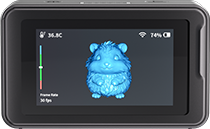
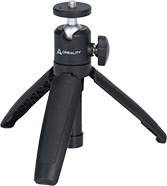
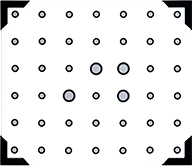
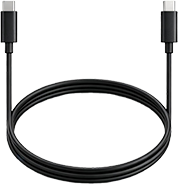
Creality Pika
3D Scanner * 1Tripod * 1High-Precision Glass
Calibration Board * 12m USB 3.0
Type-C Data Cable * 1
3D Scanner * 1Tripod * 1High-Precision Glass
Calibration Board * 12m USB 3.0
Type-C Data Cable * 1

Rechargeable
Battery * 2Reflective Markers
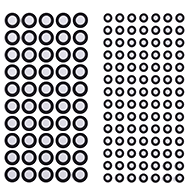
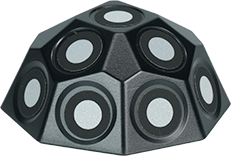
(D6mm * 10, D3mm * 10)Marker Tower * 6NIR Filter * 2
Battery * 2Reflective Markers
(D6mm * 10, D3mm * 10)Marker Tower * 6NIR Filter * 2


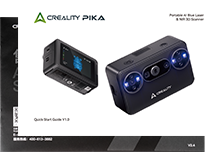
Turntable * 1Lanyard * 1Cleaning Cloth * 1Quick Start Guide &
Certificate of Conformity & Warranty Card * 1
Certificate of Conformity & Warranty Card * 1
Scanning Mode7 Parallel Blue LaserNIR Structured Light
Accuracy [1]Up to 0.03mmUp to 0.1mm
3D Resolution0.1-2mm0.15-2mm
Scanning Speed
(Phone)Up to 40 FPSUp to 20 FPS
(Phone)Up to 40 FPSUp to 20 FPS
Scanning Speed
(PC)Up to 110 FPSUp to 30 FPS
(PC)Up to 110 FPSUp to 30 FPS
Min. Scan Volume10mm x 10mm x 10mm150mm x 150mm x 150mm
Single Capture Range101mm×107mm at 160mm
344mm×268mm at 400mm144mm×134mm at 200mm
764mm×670mm at 1000mm
344mm×268mm at 400mm144mm×134mm at 200mm
764mm×670mm at 1000mm
Working distance160mm-400mm140mm-1000mm
Color MappingYes
Alignment modeMarker / Global Marker / Marker-freeGeometry/Texture
Outdoor Scanning≤110,000 lux≤80,000 lux (with filter)
Supplemental Light4 Blue/White LEDs + 4 Infrared LEDs
Laser SafetyClass I (eye safe)
Calibration BoardHigh-Precision Glass Calibration Board
NIR Filter/Yes
Processor8-core CPU (2.0 GHz)
Display3-inch Touchscreen
Battery3350 mAh (comes with a backup battery)
InterfaceTypeC / USB3.0
Input Power5V 3A
Wi-FiWi-Fi 6
Recommended
Performance
Performance
AndroidOS: Android 10.0+, Chip: Qualcomm Snapdragon 8 Gen4 or
above, RAM: 12GB+
iPhone iOS
(Wired connection not supported)OS: iOS 15+, Chip: A17 or above, RAM: 8GB+
(Wired connection not supported)OS: iOS 15+, Chip: A17 or above, RAM: 8GB+
WindowsOS: Windows 10/11 (64-bit), CPU: Intel i7 Gen13 or
above,
GPU: NVIDIA RTX 3060 or above, RAM: 32GB
GPU: NVIDIA RTX 3060 or above, RAM: 32GB
Mac OSOS: macOS 14 or above, CPU: Apple M3/M4/M5, RAM:
32GB
Minimum
Requirements
Requirements
AndroidOS: Android 10.0+
Chip: Qualcomm Snapdragon 8 Gen2 or above
RAM: 8GB+
Chip: Qualcomm Snapdragon 8 Gen2 or above
RAM: 8GB+
iPhone iOS
(Wired connection not supported)OS: iOS 15+
Chip: A15 or above
RAM: 6GB+
(Wired connection not supported)OS: iOS 15+
Chip: A15 or above
RAM: 6GB+
WindowsOS: Windows 10/11 (64-bit)
CPU: Intel i7 Gen7
GPU: NVIDIA Graphics Cards (8GB video memory)
RAM: ≥16GB
CPU: Intel i7 Gen7
GPU: NVIDIA Graphics Cards (8GB video memory)
RAM: ≥16GB
Mac OSOS: macOS 14 or later
CPU: Apple M2
RAM: ≥16 GB
CPU: Apple M2
RAM: ≥16 GB
Weight260g (batteries included)
Dimensions100mm×60mm×35mm
Operating Temperature-10°C to 40°C
Operating Humidity10-90%RH
FAQs
1.I’m new to 3D scanning. Is Pika easy to use?
2.Do I need to connect Pika to a phone, tablet, or
computer?
3.Do I need to place markers before scanning?
4.What objects can I scan with Pika?
5.How long does it take to complete a scan?
6.What is the difference between blue laser and NIR
scanning?
7.How accurate is Pika?
8.Can the scanned model be used for 3D printing?
9.Which devices and systems does Pika support?
10.How long can Pika be used on a full charge?
Creality PikaThe World's First Smartphone-Like
Portable AI Scanner
Portable AI Scanner
Scan Like You Shoot
From Pro to Everyday
Companion
3D Scanning,
Closer Than Ever
All the Power. All in Pika
260g Body,Capture Ideas Anywhere
3
Connection Modes
IR filter, stable
scans in bright light
scans in bright light
Marker-Free
Laser Scanning*
Laser Scanning*
110 fps
Capture,
Smooth on the Move
Smooth on the Move
Dual Light, No Detail Left Behind
AI
Ease flow,
Easier Post-Processing
Easier Post-Processing
Gaussian Splatting,
New 3D Visuals
New 3D Visuals
Swap batteries,
scan longer
scan longer
Bring 3D Scanning into
More Creative MomentsTurn real-world inspiration into 3D creation
More Creative MomentsTurn real-world inspiration into 3D creation
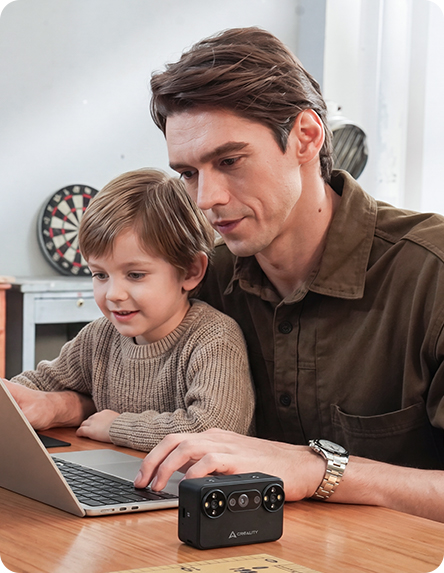
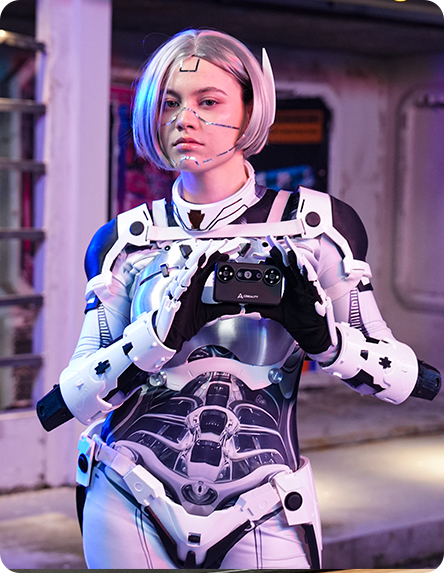
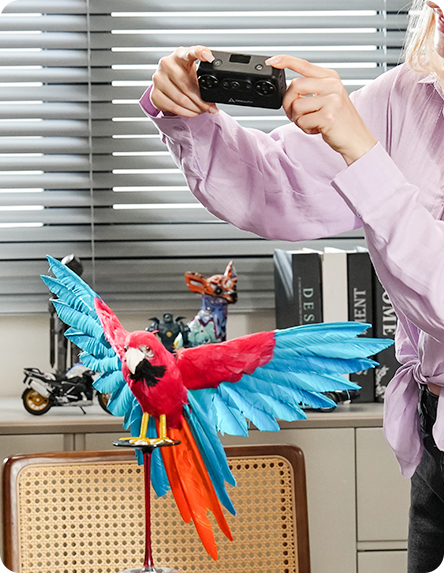
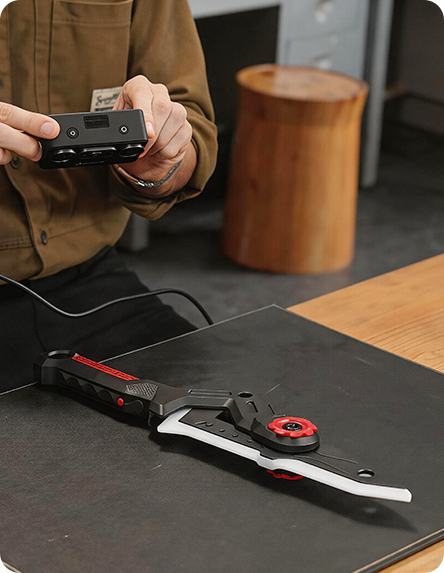
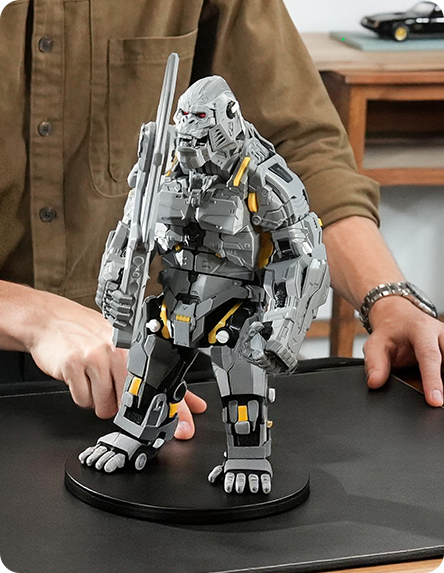
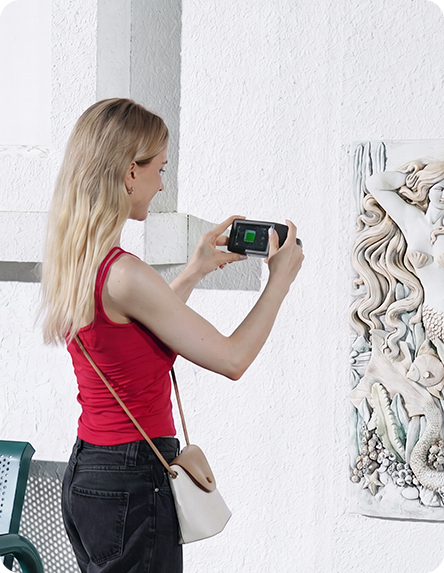
Got an idea? Take Pika and go
Light
Just 260g and light enough to hold in your palm,
Pika brings 3D scanning closer to
everyday creation
Pika brings 3D scanning closer to
everyday creation
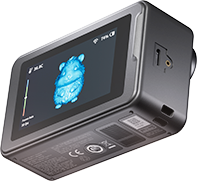
Small in Size. Ready for Big Ideas
Compact at 100 × 60 × 35 mm,Pika is small enough to take anywhere with full 3D scanning
power inside
3-inch HD
Touchscreen
Touchscreen
500 nit
Peak Brightness
Peak Brightness
Wireless PC ModeConnect to your PC via Wi-Fi for a cleaner, cable-free desktop
scanning setup.
*marker-free laser scanning is available in wired PC mode
only.
Marker-Free Scanning.
Ready to Scan
*Available in wired PC scanning mode.
Ready to Scan
Marker-free laser scanning* cuts down marker setup,
so you can
start capturing real objects faster
so you can
start capturing real objects faster
Done scanning?
Let AI help with the rest
Let AI help with the rest
before
after
Import high-resolution photos captured with a phone or DSLR.
AI helps map real image textures onto the scanned model for
finer, more lifelike surface detail.
Ready for real-world scans”
Silky-Smooth Scanning on the MoveAnti-shake keeps handheld scans smoother.
One-shot 3D
imaging for NIR
PC: 110 fps
Mobile: 40 fps / 20 fps
PC: 110 fps
Mobile: 40 fps / 20 fps
Sun's Out. Scan's On
7 Parallel Blue Laser supports detail capture up to 110,000 lux, while NIR Structured Light with a filter reduces
bright-light interference up to 80,000 lux for more stable scans.
Scan Black/Metal
Objects Without SpraysCaptures black/metal objects
without scanning spray.
Objects Without SpraysCaptures black/metal objects
without scanning spray.
Battery low? Swap
and scan again
and scan again
Includes two 3,350 mAh
quick-swap batteries—
use one, keep one as a spare, and swap when you need more
scanning time.
7 Parallel Blue LaserBuilt to capture fine details and complex contours on small
objects like models, parts, and figurines.
NIR Structured Light
Supports body scanning and 24-bit full color
capture, with a removable IR filter for stable capture in
bright light.
Tiny Details?
Bigger Objects? Try BothFrom miniatures to larger creative references, capture real forms as usable 3D data
Bigger Objects? Try BothFrom miniatures to larger creative references, capture real forms as usable 3D data
Accuracy: 0.03 mm
Scan Range: 10*10*10 mm³ – 2000*2000*2000 mm³
Scan Range: 10*10*10 mm³ – 2000*2000*2000 mm³
20 mm
300 mm
500 mm
900 mm
1700 mm
Pika turns real objects into editable 3D models, so every
scan can move beyond capture and into creation. You can refine
your model, use it for 3D creation and creative reuse, and
export it as STL / OBJ / PLY / ASC files to share with friends
and creative communities.
Scan→ Model→ Create→ Share
Professional Scan Software
Unlocks Pika's PowerCrealityScan gives Pika a complete software workflow, integrating scanning, optimization, and basic editing with clear visual guidance. With image and point cloud processing, one-click model processing, and model editing, users can move from capture to usable 3D models in a smooth, efficient workflow.
Unlocks Pika's PowerCrealityScan gives Pika a complete software workflow, integrating scanning, optimization, and basic editing with clear visual guidance. With image and point cloud processing, one-click model processing, and model editing, users can move from capture to usable 3D models in a smooth, efficient workflow.
Part list
Product Parameters
Creality Pika
3D Scanner * 1Tripod * 1High-Precision Glass
Calibration Board * 12m USB 3.0
Type-C Data Cable * 1
3D Scanner * 1Tripod * 1High-Precision Glass
Calibration Board * 12m USB 3.0
Type-C Data Cable * 1
Rechargeable
Battery * 2Reflective Markers
(D6mm * 10, D3mm * 10)Marker Tower * 6NIR Filter * 2
Battery * 2Reflective Markers
(D6mm * 10, D3mm * 10)Marker Tower * 6NIR Filter * 2
Turntable * 1Lanyard * 1Cleaning Cloth * 1Quick Start Guide &
Certificate of Conformity & Warranty Card * 1
Certificate of Conformity & Warranty Card * 1
Scanning Mode7 Parallel Blue LaserNIR Structured Light
Accuracy [1]Up to 0.03mmUp to 0.1mm
3D Resolution0.1-2mm0.15-2mm
Scanning Speed
(Phone)Up to 40 FPSUp to 20 FPS
(Phone)Up to 40 FPSUp to 20 FPS
Scanning Speed
(PC)Up to 110 FPSUp to 30 FPS
(PC)Up to 110 FPSUp to 30 FPS
Min. Scan Volume10mm x 10mm x 10mm150mm x 150mm x 150mm
Single Capture Range101mm×107mm at 160mm
344mm×268mm at 400mm144mm×134mm at 200mm
764mm×670mm at 1000mm
344mm×268mm at 400mm144mm×134mm at 200mm
764mm×670mm at 1000mm
Working distance160mm-400mm140mm-1000mm
Color MappingYes
Alignment modeMarker / Global Marker / Marker-freeGeometry/Texture
Outdoor Scanning≤110,000 lux≤80,000 lux (with filter)
Supplemental Light4 Blue/White LEDs + 4 Infrared LEDs
Laser SafetyClass I (eye safe)
Calibration BoardHigh-Precision Glass Calibration Board
NIR Filter/Yes
Processor8-core CPU (2.0 GHz)
Display3-inch Touchscreen
Battery3350 mAh (comes with a backup battery)
InterfaceTypeC / USB3.0
Input Power5V 3A
Wi-FiWi-Fi 6
Recommended
Performance
Performance
AndroidOS: Android 10.0+, Chip: Qualcomm Snapdragon 8 Gen4 or
above, RAM: 12GB+
iPhone iOS
(Wired connection not supported)OS: iOS 15+, Chip: A17 or above, RAM: 8GB+
(Wired connection not supported)OS: iOS 15+, Chip: A17 or above, RAM: 8GB+
WindowsOS: Windows 10/11 (64-bit), CPU: Intel i7 Gen13 or
above,
GPU: NVIDIA RTX 3060 or above, RAM: 32GB
GPU: NVIDIA RTX 3060 or above, RAM: 32GB
Mac OSOS: macOS 14 or above, CPU: Apple M3/M4/M5, RAM:
32GB
Minimum
Requirements
Requirements
AndroidOS: Android 10.0+
Chip: Qualcomm Snapdragon 8 Gen2 or above
RAM: 8GB+
Chip: Qualcomm Snapdragon 8 Gen2 or above
RAM: 8GB+
iPhone iOS
(Wired connection not supported)OS: iOS 15+
Chip: A15 or above
RAM: 6GB+
(Wired connection not supported)OS: iOS 15+
Chip: A15 or above
RAM: 6GB+
WindowsOS: Windows 10/11 (64-bit)
CPU: Intel i7 Gen7
GPU: NVIDIA Graphics Cards (8GB video memory)
RAM: ≥16GB
CPU: Intel i7 Gen7
GPU: NVIDIA Graphics Cards (8GB video memory)
RAM: ≥16GB
Mac OSOS: macOS 14 or later
CPU: Apple M2
RAM: ≥16 GB
CPU: Apple M2
RAM: ≥16 GB
Weight260g (batteries included)
Dimensions100mm×60mm×35mm
Operating Temperature-10°C to 40°C
Operating Humidity10-90%RH
[1] Accuracy is evaluated in laboratory conditions and actual
results may be affected by operating environments such as
vibration, temperature, and other factors.
FAQs
1.I’m new to 3D scanning. Is Pika easy to use?
2.Do I need to connect Pika to a phone, tablet, or
computer?
3.Do I need to place markers before scanning?
4.What objects can I scan with Pika?
5.How long does it take to complete a scan?
6.What is the difference between blue laser and NIR
scanning?
7.How accurate is Pika?
8.Can the scanned model be used for 3D printing?
9.Which devices and systems does Pika support?
10.How long can Pika be used on a full charge?