









































When manufacturer support ends, even highly advanced robots can quickly become difficult to maintain. A missing plastic cover, a discontinued access plate, or a small broken mounting clip may be enough to leave valuable equipment unusable — not because the robot has failed, but because the replacement part is no longer available.
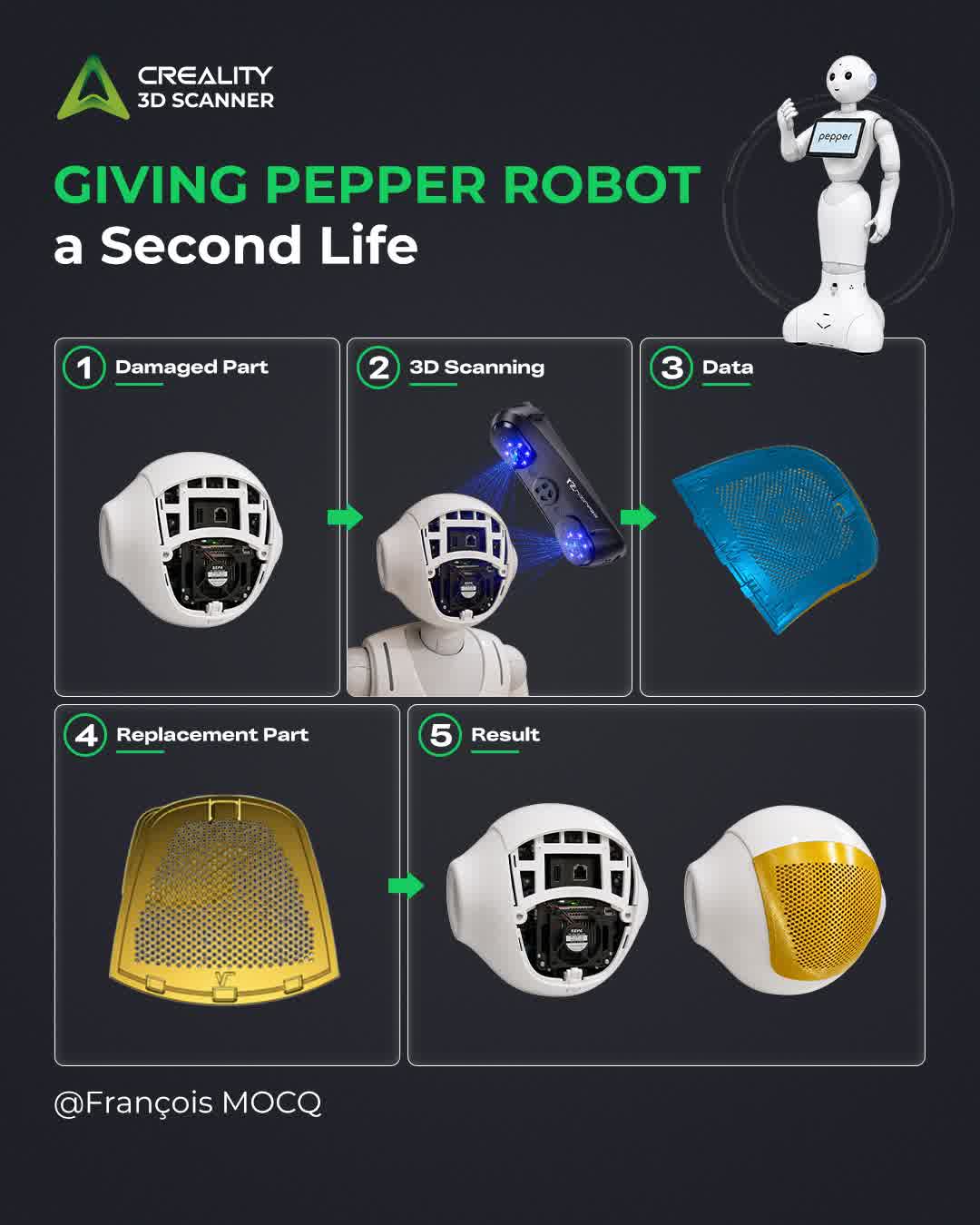
This is exactly the challenge faced by the Association Caliban robotics team in France. After Aldebaran ceased its activities, several Pepper humanoid robots were handed over to the association for restoration and maintenance. These robots were brought back to life and used in public events, including synchronized dance demonstrations.
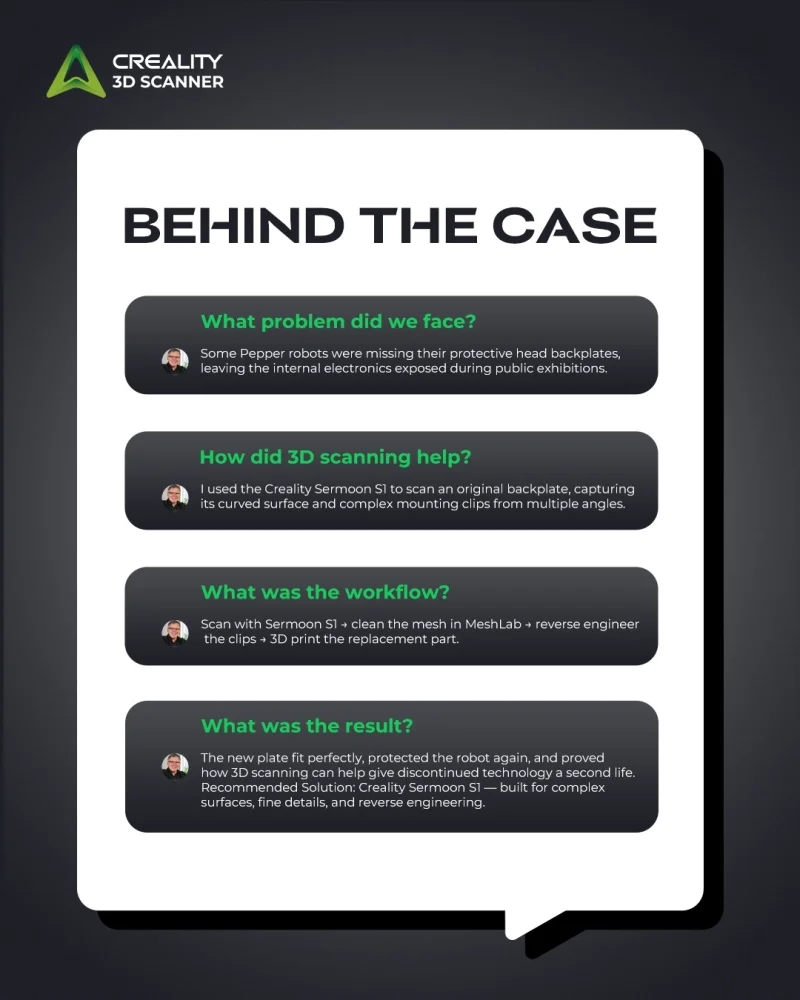
However, one important issue remained: some of the Pepper robots were missing the protective rear access plate on their heads. Without this part, the internal electronic components were exposed during public exhibitions, creating a risk of accidental damage or unwanted contact from curious visitors.
Instead of leaving the robots incomplete or searching endlessly for discontinued parts, the team turned to reverse engineering, 3D scanning, and 3D printing.
This case was shared by @François MOCQ, a member of Association Caliban, and it shows how 3D scanning can support robotics maintenance, legacy hardware repair, and circular economy practices.
The Challenge: A Small Missing Part with a Big Impact
The missing component was not a major mechanical assembly, but it played an important role. The rear head access plate protects the robot’s internal electronics while maintaining a clean exterior appearance.
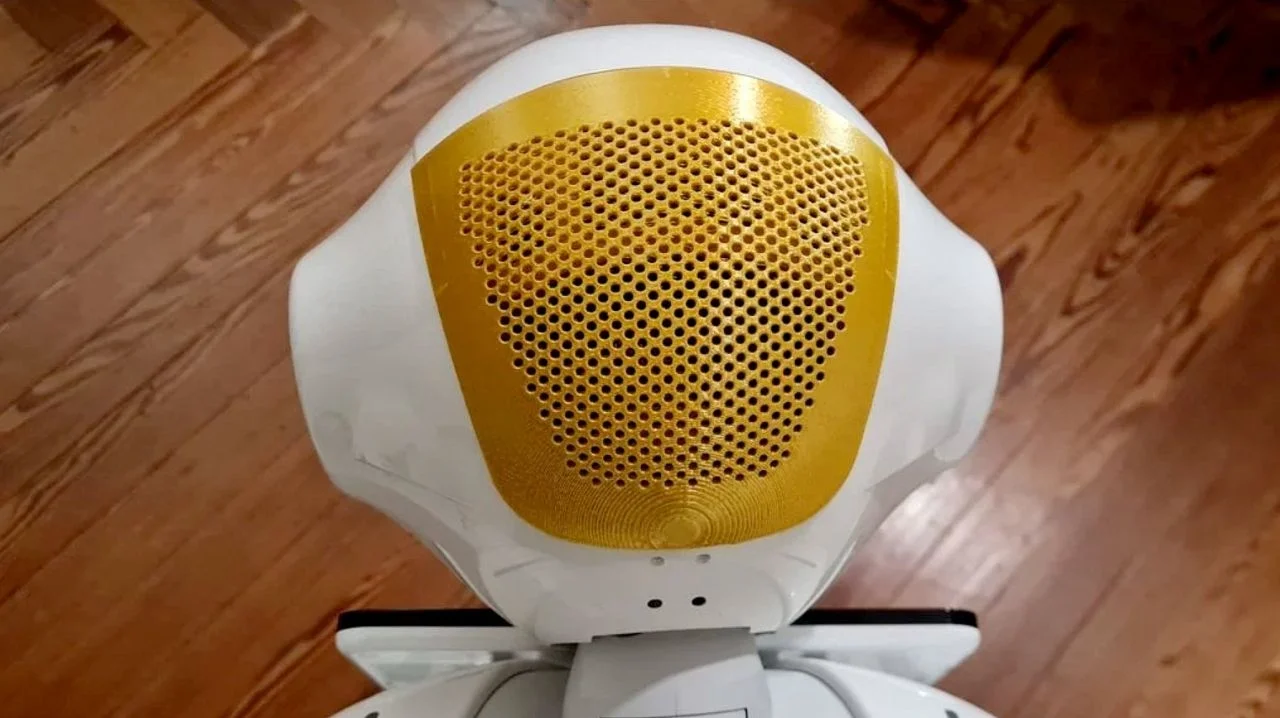
For public-facing robots like Pepper, this is more than a cosmetic issue. Exposed electronics can create safety concerns, reduce durability, and make the robot unsuitable for events or demonstrations.
The difficulty was that the original parts were no longer manufactured. Since the robots came from different generations, the mounting tabs and clip spacing could also vary slightly between versions. This meant the replacement part had to be accurate enough to fit the existing chassis, but also adaptable enough for practical repair.
Traditional manual measurement would have been difficult because the part had a curved surface and complex mounting clips around the back. This made it a strong candidate for 3D scanning.
The Solution: Capturing the Original Geometry with Sermoon S1
During a technology event, an original Pepper head access plate was digitized using the Creality Sermoon S1.
The part presented two main scanning challenges:
-
Complex curvature across the main surface
-
Detailed mounting clips that required higher precision for proper fit
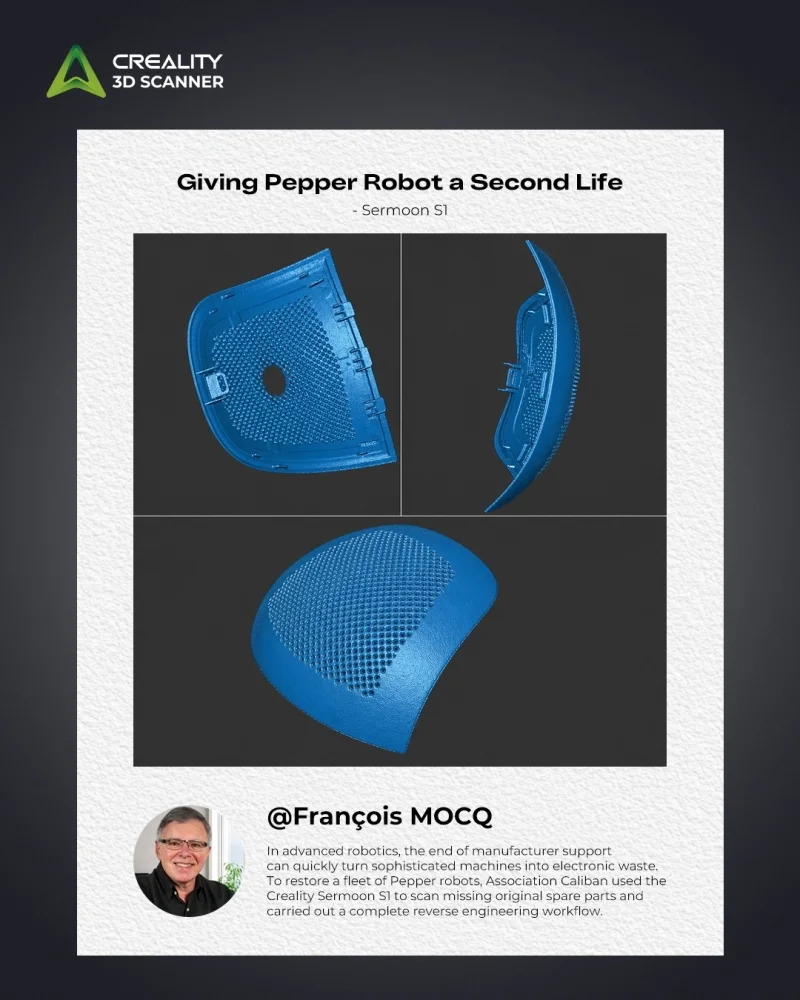
To capture the full geometry, the part was scanned from four different angles. A DIY turntable with markers was used to support tracking, helping the scanner maintain alignment during the capture process.
The scanning workflow used two laser modes depending on the level of detail required:
Cross-line laser mode was used to capture the general volume and overall shape of the plate. Parallel lines were then used to capture the finer details of the mounting clips, where precision was especially important.
This combination allowed the team to obtain a detailed digital mesh of the original part, including both the curved outer surface and the functional
clip structures.
The Workflow: From Physical Part to Printable Replacement
The complete workflow followed a practical reverse engineering process:
- Original part preparation An existing Pepper access plate was used as the reference object.
- 3D scanning with Sermoon S1 The part was scanned from multiple angles to capture the curved surface and clip details.
- Stabilization during scanning Because the plate was difficult to hold in place, ABS clamps were used to support the part. This also highlighted an important lesson for future scanning: modeling clay can be useful for stabilizing awkward objects during capture.
- Mesh cleanup and repair After scanning, the mesh was cleaned and repaired in MeshLab to ensure the STL file was manifold and ready for the next stage.
- Reverse engineering and CAD adaptation The scan data was passed to Guy, another member of Association Caliban, who handled the reverse engineering process. The design was adapted to match the Pepper Version 1.8 chassis, especially the spacing of the mounting tabs.
- FDM-optimized design The replacement plate was simplified and optimized for FDM 3D printing. A honeycomb structure was added to support ventilation while maintaining protection.
- 3D printing and fit testing The final part was printed in PLA and installed on the robot.
The result was a clean, functional replacement part that fit perfectly and restored protection to the robot’s internal electronics.
Why This Case Matters for Robotics Maintenance
This project is a strong example of how 3D scanning can support robotics repair and maintenance when original parts are unavailable.
For robotics teams, research labs, schools, museums, and public technology organizations, discontinued parts can become a serious maintenance barrier. Many robots remain mechanically or electronically functional, but small missing components can prevent them from being safely used.
3D scanning helps solve this problem by turning an existing physical part into accurate digital data. Once the geometry is captured, the part can be repaired, adapted, redesigned, and manufactured again through 3D printing.
In this case, 3D scanning helped the team:
-
Capture a complex curved part without relying on manual measurement
-
Preserve the original fit and mounting geometry
-
Adapt the design for a specific robot generation
-
Create a printable replacement part
-
Restore robot safety and usability
-
Reduce dependence on unavailable manufacturer parts
This is not just a repair workflow. It is a practical model for extending the lifecycle of advanced hardware.
A Practical Example of Circular Economy in Robotics
The value of this case goes beyond one replacement part.
When a robot becomes unusable because of missing or discontinued components, the result is often unnecessary electronic waste. However, with accessible tools such as 3D scanning, reverse engineering, and 3D printing, organizations can keep valuable equipment in use for longer.
This is especially important for orphan technology — devices that are still useful but no longer supported by the original manufacturer.
The Pepper robot project shows how the Maker community can play an important role in extending product lifecycles. Instead of replacing entire systems, teams can recreate specific parts, share files with the community, and make repair more accessible.
The STL file for this Pepper replacement plate was also shared publicly on Thingiverse, allowing others working with Pepper v1.8 robots to benefit from the same solution.
Who Can Use This Workflow?
This type of workflow can be applied far beyond Pepper robots. It is especially relevant for:
Robotics teams
For repairing covers, housings, clips, brackets, panels, and other non-standard robot components.
Educational institutions
For maintaining teaching robots, lab equipment, and student robotics platforms.
Research labs
For modifying or repairing legacy devices used in experiments or demonstrations.
Museums and public technology centers
For keeping interactive robots and exhibition equipment functional.
Industrial maintenance teams
For recreating discontinued machine covers, access panels, guards, and custom fixtures.
Maker communities and repair groups
For turning unavailable parts into open-source repairable assets.
Service providers and small workshops
For offering reverse engineering and 3D printing services for discontinued or hard-to-source components.
Recommended Solution
For projects involving curved surfaces, functional clips, and reverse engineering workflows, Creality Sermoon S1 is a strong fit.
In this case, Sermoon S1 was used to capture both the overall geometry and the fine mounting details of the original Pepper access plate. Its scanning modes supported the two key needs of the project: capturing the general curved volume and obtaining the precision required for functional clip areas.
This makes it suitable for robotics maintenance, automotive repair, industrial part replacement, and other workflows where accurate geometry capture is needed before CAD adaptation or 3D printing.
Follow us to stay updated with the latest industry insights.