










































Phenomenon Description
First layer not adhering to the platform, or nozzle scraping the platform/layer compression.
Cause Analysis
- Platform contaminated by hand sweat causing poor adhesion
- Leveling issues leading to first layer not sticking
- Print bed temperature too low for the filament, causing model shrinkage and separation
- Residual filament affecting homing, causing abnormal Z-homing and high first layer
- Strain gauge abnormality leading to inaccurate compensation data, resulting in layer compression and nozzle scraping
Troubleshooting
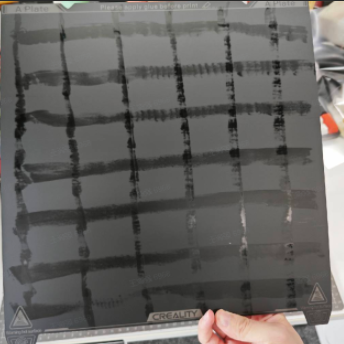
Check if there are visible hand sweat marks or fingerprints on the platform. If the marks still exist, clean with water and apply glue sticks to improve adhesion.
Clean the platform
- Platform is dirty or contaminated by hand sweat, causing poor model adhesion. You can clean the platform with dish soap and water.
- Excessive glue application or multiple prints causing poor model adhesion. You can clean the platform with water.
Ensure proper glue application
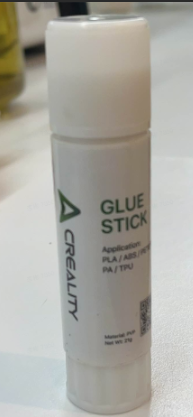
Use correct glue as shown below, Figure 1 shows machine's included glue stick
Apply a thin layer of glue stick on the platform
Confirm if Calibration is needed
Calibration includes auto-leveling, flow calibration, and first layer detection (flow calibration/first layer detection disabled by default)
Without selecting this option, auto-leveling/flow calibration/first layer detection won't execute.
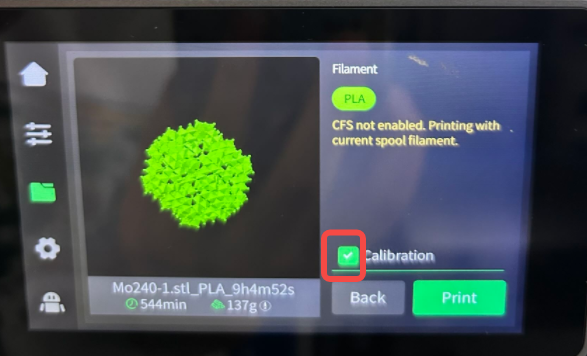
When to enable “Print Calibration”?
Please select "Print Calibration" when the following situations occur:
- Different filament from the previous print, such as PLA for the last print and ABS for this print (different hot bed temperature and leveling data)
- Machine has been moved
- Firmware has just been upgraded
When “Print Calibration” is unnecessary?
- Repeat printing, previous print is successful
- Small model printing in bed center
When manual leveling is needed?
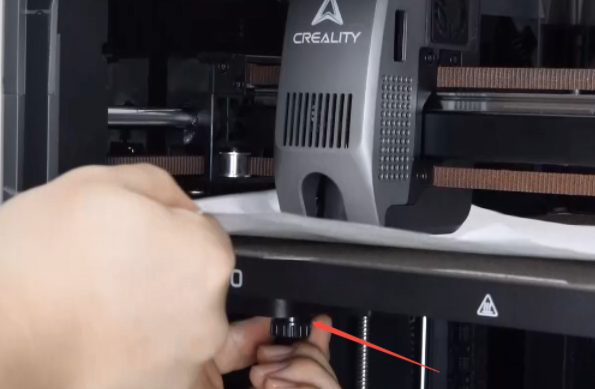
- When the hot bed is uneven, you can manually adjust the leveling nuts underneath the hot bed to level it. After ensuring basic flatness, proceed with the leveling calibration.
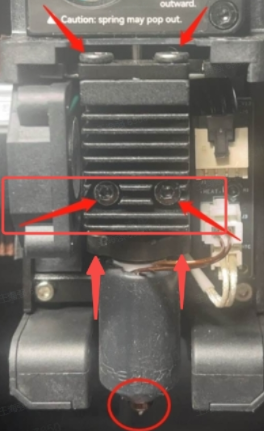
Check if nozzle and hot bed are loose, then tighten them
Recommend using official slicer software with default parameters for corresponding filament
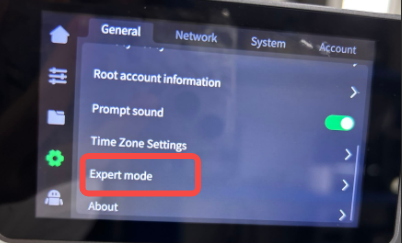
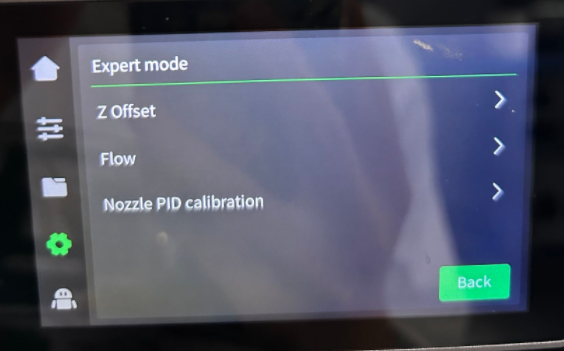
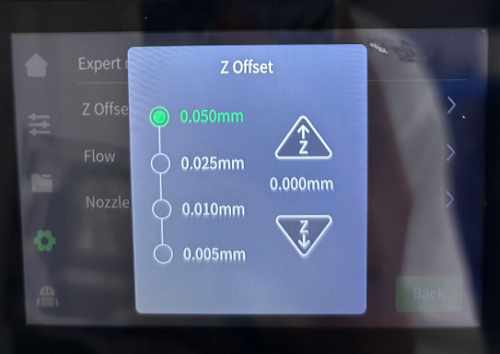
Fine-tune Z offset based on first layer print results
Friendly Reminder
If you still haven't resolved the issue after following the steps in this document, or if you encounter any difficulties during the process, you can click the right corner of the wiki page online support to contact our after-sales team for more help.