









































3D printing is incredibly popular since it allows businesses, entrepreneurs, and creatives to design and build virtually anything. Since 3D printing looks futuristic and intimidating, it's easy to see why some may think it's a complicated process, but how hard is it to use a 3D printer really? Ultimately, the difficulty depends on various factors, like the printer and materials you use, and the objects you create. Like almost all tech devices, there's a learning curve, but with a little bit of practice, anyone can make beautiful and detailed prints with ease.
Is Using a 3D Printer Difficult?
One common concern from people who are just getting into the world of 3D printing is, "Are 3D printers easy to use?" It's an understandable question, especially when you see them in action. The good news is that modern easy-to-use 3D printers are more beginner-friendly than ever, with features that let anyone bring their creativity to life. The key is knowing which model to use, since the difficulty level depends on your experience and project goals. If you've never used a 3D printer before, it's best to start with a more basic model that allows for a simplified workflow. As you progress and your printing requirements grow, you can upgrade to more advanced models with greater printing capabilities.
Beginner Level - Easy to Get Started
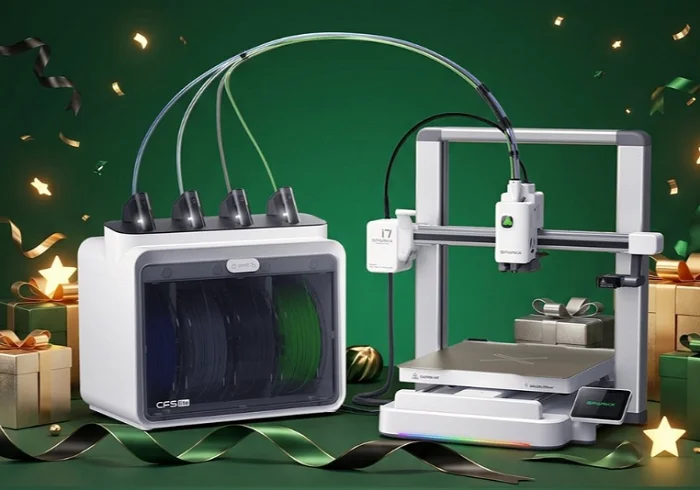
When choosing a beginner-friendly 3D printer, you'll want to pick one with features like touchscreens and auto bed levelling. It's also a good idea to find a model that comes pre-assembled. The key is simplicity, where you can just download, slice, and print. You'll also want to limit advanced features in favor of user-friendly options. A quality beginner-level printer should also include:
-
Auto calibration
-
Smart connectivity
-
High-speed printing
-
Model cooling fans
-
Model preview
-
High-quality heater
-
Filament capability options
The SPARKX i7 offers all the above features and more, making it the perfect starter 3D printer. Even though you may be new to 3D printing, you don't want your prints to look cheap or sloppy. The SPARKX i7 creates top-quality models quickly without sacrificing precision or craftsmanship for beautiful prints you can feel proud showing off.
The printer you use isn't the only factor to consider; you'll also want to use materials that are easy to work with. PLA is the perfect beginner filament since it can print at lower temperatures, is less prone to warping, and doesn't require a heated print bed. Plus, it's affordable and there's a wide range of colors for greater flexibility. PLA is also an easier material to work with post-processing, making painting and sanding easier. Beginner printers will only take a few hours to learn the basics before you can begin printing and exploring all the exciting features.
Intermediate Level - Learning & Troubleshooting
Once you've mastered beginner-level 3D printers, you can move on to more intermediate models. With these, you get to adjust settings in your slicing software, including controlling the speed, infill, and temperature. There's a larger learning curve as you start modifying these features, similar to using new creative software, which can lead to various issues like bed adhesion, nozzle clogs, warping, and stringing. Encountering these problems may feel overwhelming at first, but you can find answers by watching tutorials, joining forums, and asking 3D printing communities for help.
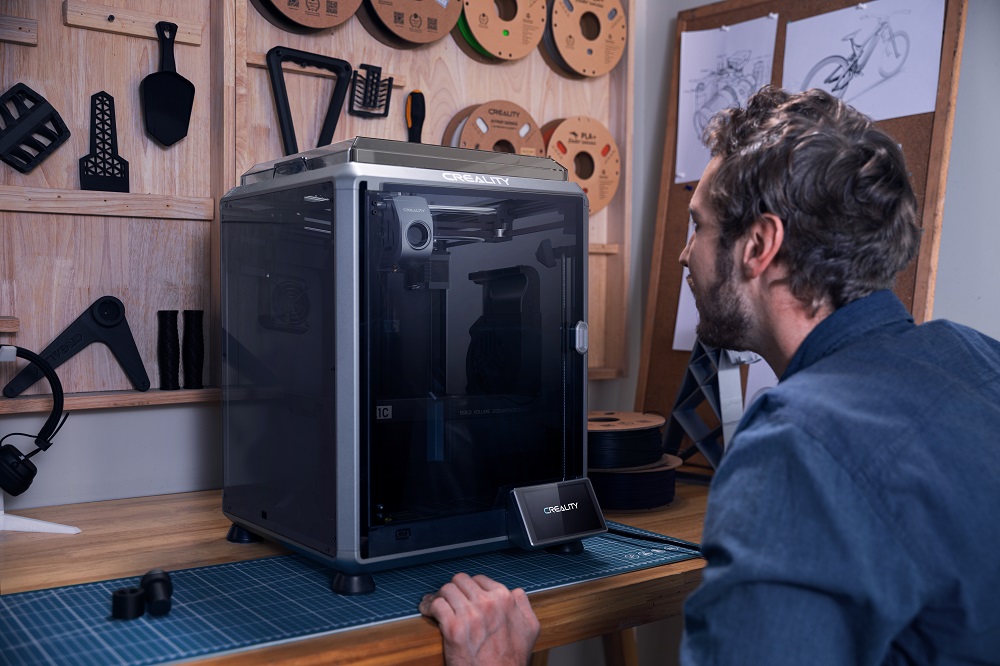
The Creality K1C 3d printer is the ideal intermediate-level 3D printer. It offers lightning-fast printing with an innovative ceramic heater with ultra-powerful cooling fans, allowing your model to harden before warping and stringing happens. It uses smart connectivity for streamlined data syncing and holds up to 400 model files for faster writing and reading. The K1C makes 3D printing easier for precise, detailed models.
Advanced Level - Challenging but Rewarding
When you hear people asking, "Is 3D printing hard?", it's usually advanced-level printers they're thinking of. These machines allow the user to create a wide range of products and design their own 3D models with CAD. Because they handle more intricate projects, professional-grade 3D printers require advanced calibration and upgrades like enclosures for added protection. They take specialized filaments like carbon fiber, PETG, TPU, and ABS, which opens the door formulti-material printing. Because of these state-of-the-art features, advanced 3D printers require a higher level of patience and technical knowledge, and are often used by businesses for commercial production.
A great example of a high-performance 3D printer is the Sermoon D3 Pro. As a RedDot winner for industrial design, it allows for dual-filament printing with a diverse range of materials for broader applications. The Samsoon D3 Pro has a range of core features, including 3-way dual extrusion, a thermostatic chamber, auto leveling, a flexible build plate, a HEPA air purifier, a built-in camera, and industrial-grade stability. Since the chamber boasts an active interior heater, you can enjoy strong bonding between layers, less cracking and warping, and greater strength for all 3D printed parts. When it comes to advanced-level printing, the Samsoon D3 Pro has what you need to create the most intricate, elaborate, and complex models.
How Long Does It Take to Learn 3D Printing?
Now that you have a better idea of what to expect from the different types of 3D printers, let's discuss how long it can take to learn to use them. Of course, everyone is different, and for some, 3D printing may come easier than for others. However, in general, here are the approximate time tables for learning how to use a 3D printer.
-
Beginners - For beginners who have never used a 3D printer, it can take around a weekend to get comfortable with the machine. Since beginner-level models are made to be user-friendly, they have a smaller learning curve and make it easy to start creating models quickly.
-
Intermediate - Intermediate-level 3D printers have more advanced features than beginner-level models, so it will take longer to become familiar with them. Expect that you'll need a few weeks of practice before your prints become consistent and you're comfortable with the more advanced elements.
-
Advanced - With pro-level 3D printers, you truly never stop learning how they work. Depending on the complexity of the prints, you may need to continually calibrate and adjust the settings to find what works best. Troubleshooting is an ongoing process, but with time, you will become more comfortable with making adjustments and fine-tuning the components. Although you never truly stop learning with advanced-level 3D printers, they're so much fun since they offer endless opportunities to create everything from the most complex and intricate models to mass production prints for your business.
Tips for Beginners to Make It Easier
So, how hard is it to use a 3D printer? As you can see, the answer to that question depends on the type of printer you choose. Here are a few tips for beginners to make learning 3D printing easier and more enjoyable.
Choose a beginner-friendly 3D printer brand/ model
When you're getting started with 3D printing, the printer you use can make or break your experience. Some brands and models aren't designed for beginners and offer highly advanced features that can be confusing and complex. Choosing a model from a brand that's designed for beginners, like the Creality Ender Series, is the best way to learn quickly and ensure you have a great experience.
Start with PLA filament
PLA filament is easy to work with, affordable, and comes in a wide range of colors. Since it works with a lower printing temperature, there's no need for a heated printer bed, making your models less prone to warping. It also makes post-processing a breeze, since it's highly forgiving and easy to sand and paint.
Use online model libraries
There are countless model downloads available online through libraries like Creality Cloud and Printables. Using these platforms, you can play around with different prints and get to know how your printer works.
Follow tutorials and community guides
Thanks to platforms like YouTube and Reddit, there are thousands of online tutorials and 3D printing communities that offer support and guidance for users of all levels. You can ask questions, watch demonstrations, and troubleshoot issues with the help of experienced users.
Be patient with trial and error
As we mentioned, 3D printers come with a learning curve, so it takes time to master how to use them. Be patient with yourself as you learn, and don't be afraid of trial and error. As long as you don't give up, you will eventually figure it out and will be able to make all sorts of models.
Conclusion
3D printing may look complex, but it isn't as hard as it seems. Beginners can start quickly with basic models and, as they learn, upgrade to more advanced printers and techniques. The key is keeping an open mind, staying patient, and choosing Creality. With the right printer and mindset, anyone can learn how to operate these exciting machines. So, what are you waiting for? Try a beginner project today and experience the excitement of creating your first 3D print. Chances are, once you start, you won't want to stop!