








































3D printing, as an innovative technology, has the reputation of "Everything Can Be Printed", and it is impacting our life. 3D printing, which is usually considered as high technology, is not so difficult as long as you find a suitable 3D printer. Therefore, here come the instructions for novices about how to use a 3D printer.
Easy Assembly
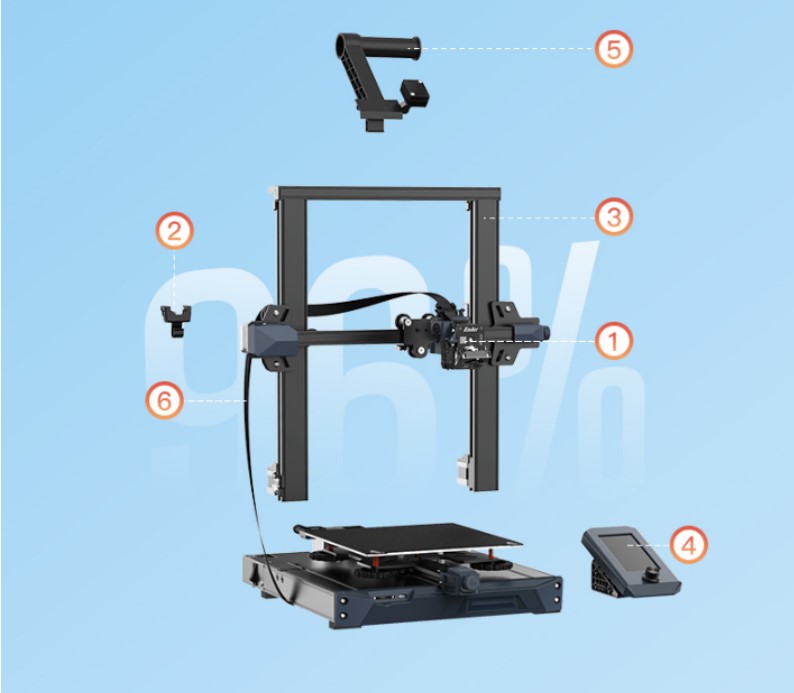
When purchasing a 3D printer, first of all, we should pay attention to its assembly. 3D printers can be assembled in different ways, such as DIY assembly, modular assembly, and the fully-enclosed series is even free from assembly. 3D printers of modularized structure or fully-enclosed structure are highly recommended for novices, for they vastly reduce the difficulty of machine assembly. 3D printers of modularized structure or fully-enclosed structure are highly recommended for novices, for they vastly reduce the difficulty of machine assembly. Creality Ender-3 S1 is a good choice. With 96% pre-assembled, the 3D printer can be assembled within 6 steps, making it very easy to handle and enable users to print without too much preparation work. It’s indeed a big surprise. Owners of Creality Sermoon V1 can enjoy out-of-box printing with no need to assemble or conduct leveling. Users can start their 3D printing journey as quickly as possible.
Easy Leveling
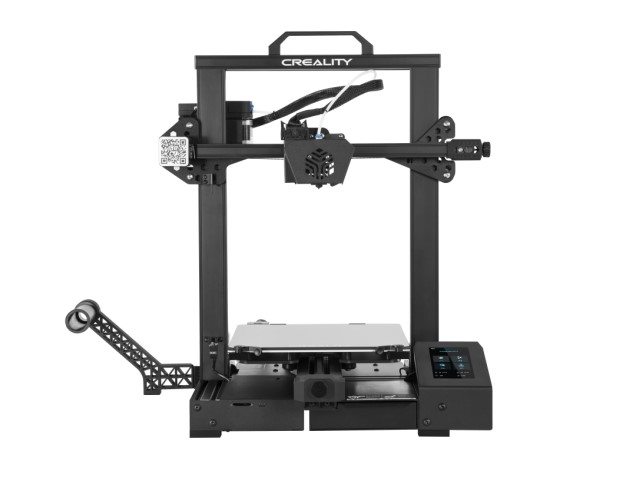
Leveling is a key step for printing good-looking models. Creality 3D printers greatly reduce the leveling threshold. For example, Creality CR-6 SE adopts the full intelligent leveling-free technology, which relies on the pressure strain gauge to ensure a highly accurate horizontal position, greatly simplifying the leveling. Creality Ender-3 S1’s 16-point intelligent leveling, powered by CL-TOUCH, can automatically compensate for the heat bed’s unevenness. The whole leveling system is much easier to operate. Moreover, Creality Sermoon V1 is pre-leveled before shipping, saving a lot of time spend in leveling.
Intelligent Control
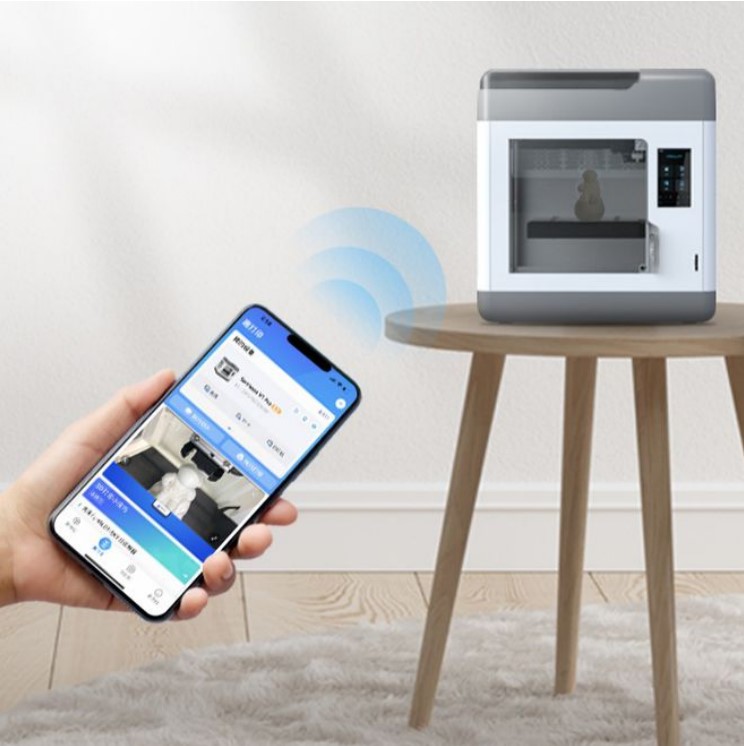
In the digital era, whether it's a cell phone or a laptop, a refrigerator or a washing machine, they can all connect to the network, allowing users to use them whenever needed. 3D printing technology is not an exception. Creality’s 3D printers are developed to be intelligent, supporting both wired and wireless printing on computer, and the operation conducted through Creality Cloud App on cell phone. Creality Sermoon V1 has a built-in camera, which realizes remote printing and monitoring anytime and anywhere. For example, when you are in the bedroom, you can have a check on the printing through the Creality Cloud App on phone. You can also click pause it if there is any issue to avoid filament and time wasting. In addition, Meanwhile, the Creality Cloud has abundant model resources for reference and selection.
After reading the introduction above, do you agree that novice can handle 3D printers? Creality’s Ender-3 S1, CR-6 SE and Sermoon V1 meet the demands of Makers and entry-level users in terms of applicability and practicality. If you also want to turn your imagination into reality, why not try to create with a 3D printer?