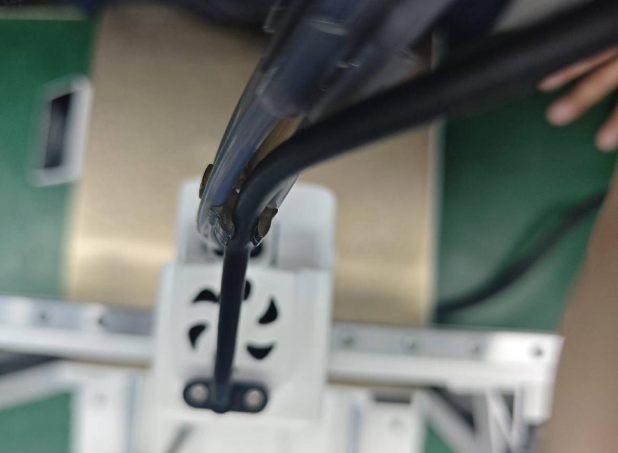
The PTFE Tube is used to guide Filament from the CFS lite, CFS mini, or Spool Holder to the Toolhead Manifold. During long-term use, continuous friction between the filament and the PTFE tube may cause wear, increasing feeding resistance. To prevent filament feeding issues caused by PTFE tube wear, the tube should be replaced promptly when visible wear is observed.
Maintenance Interval: It is recommended to inspect the PTFE tube every 3 months, or replace it when visible wear is found or when the printer prompts PTFE tube maintenance.
Tools / Materials: Hands only or auxiliary tools; new PTFE tube.
Maintenance Method: Replacement.
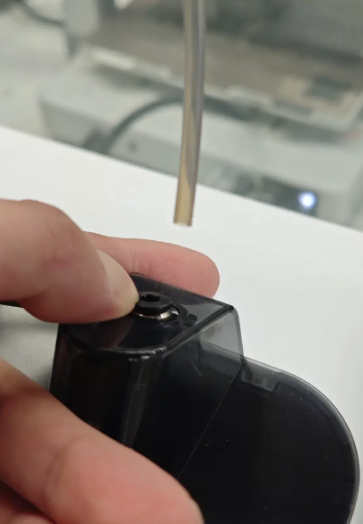
Operation: Press the Pneumatic Fitting and pull the PTFE tube upward to remove it. If pressing by hand is difficult, printed tools or tweezers may be used.
PTFE Tube Specifications
Diameter: Outer diameter 4 mm, inner diameter 2.5 mm
Length and Quantity
|
Spool Holder |
570mm×1 |
|
CFS mini |
870mm×1 |
|
CFS lite |
980mm×4 |
It is recommended to purchase SPARKX official accessories.If third-party PTFE tubes are used, retain all original PTFE Clips.
Removing the Old PTFE Tube
Remove PTFE Tubes from the Toolhead Manifold
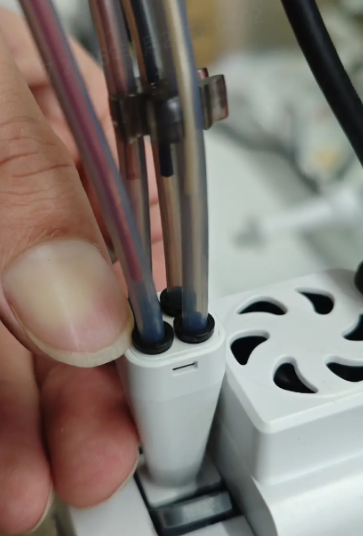
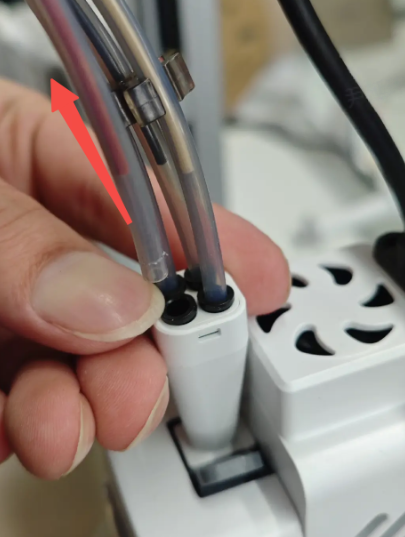
There are four PTFE tube ports on the top of the Toolhead Manifold. Press the black collar of the port while pulling the PTFE tube upward. Tools may be used if necessary.
Remove PTFE Tube from the Spool Holder
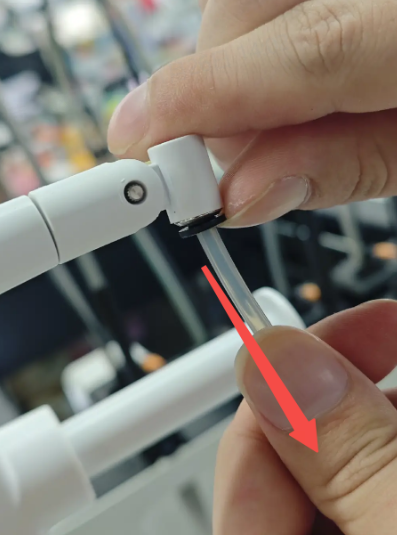
The rotating joint of the Spool Holder has one PTFE tube port. Press the black collar and pull the PTFE tube outward.
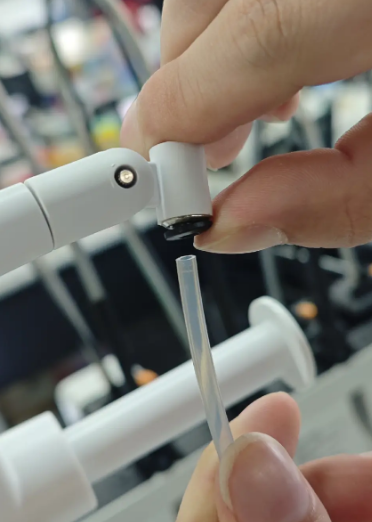
Remove PTFE Tube from CFS mini
The filament output side of the CFS mini has one PTFE tube port. Press the black collar and pull the PTFE tube outward.
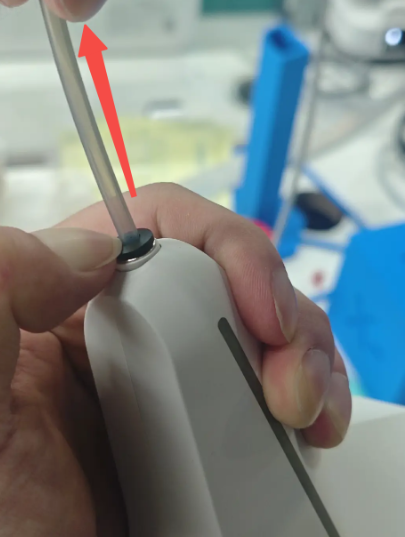
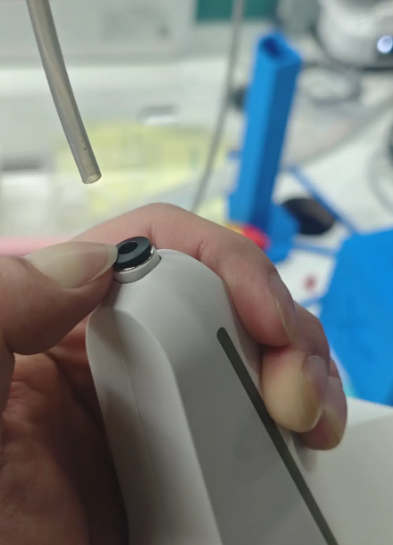
Remove PTFE Tubes from CFS lite
There are four PTFE tube ports on the top cover of the CFS lite. Press the black collars and pull the PTFE tubes outward.
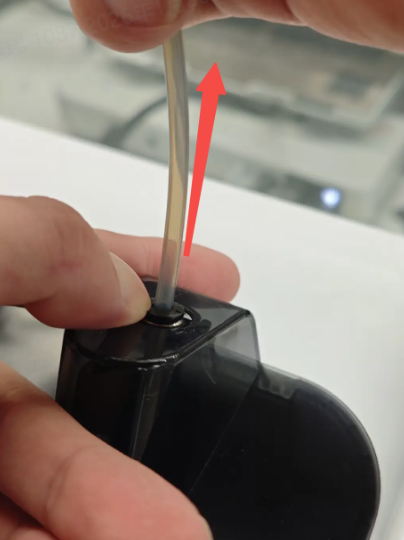
Installing the New PTFE Tube
Single Printer / Autofill Combo Installation
When using a Spool Holder or CFS mini, only one PTFE tube is required.
Insert one end of the PTFE tube into the PTFE port on the Spool Holder rotating joint or the CFS mini outlet until it can no longer be pushed in. Gently pull back to confirm the tube is secure.
Insert the other end of the PTFE tube into any port on the top of the Toolhead Manifold until fully seated. Gently pull back to confirm the tube is secure.
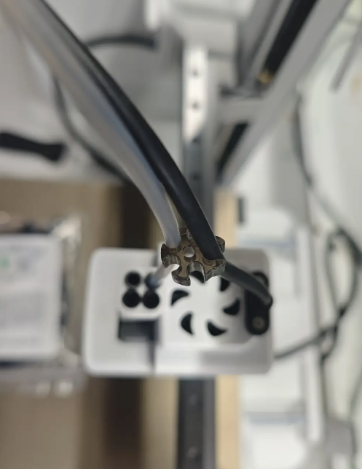
Secure the Toolhead Cable into the slot of the Toolhead Manifold clip to complete the installation.
CFS lite PTFE Tube Installation
When using CFS lite, a total of four PTFE tubes, each 980 mm in length, are required. It is recommended to use the SPARKX multicolor PTFE tube replacement kit. If using custom-cut PTFE tubes, install the three PTFE Clips as shown in the diagram below.
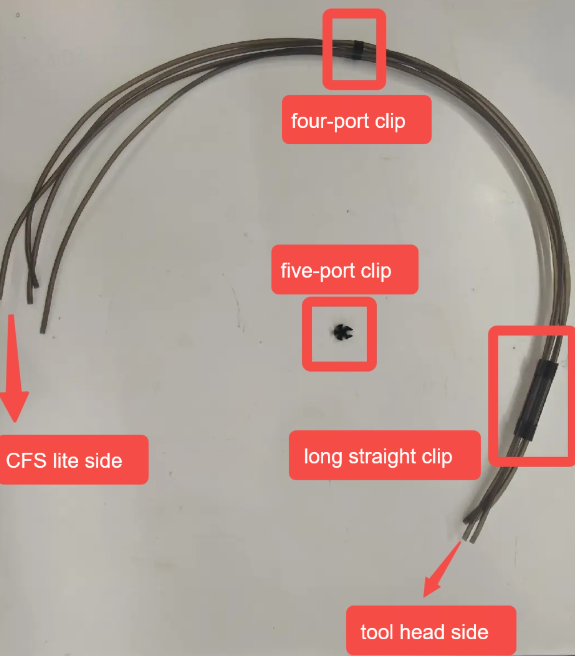
Align one end of all four PTFE tubes and insert them into the four ports on top of the Toolhead Manifold. Gently pull outward to ensure the tubes are securely seated.
At the other end of the tube bundle:
Insert the two slightly shorter PTFE tubes into the middle two ports on top of the CFS lite.
Insert the two slightly longer PTFE tubes into the left and right ports. Gently pull outward to ensure the tubes are securely seated.
Secure the Toolhead Cable into the slot of the five-port clip to complete the installation.