Welcome to Creality  MakerCup 2026 🔥

Creality
Store
  • 3D Printers
  • Ecosystem
  • 3D Footwear
  • Support
  • Software
  • Blog
  • Creality Cloud
  • Investor Relations
  • United States (English)
Cancel

Quick Links

    Creality
    3D PrintersEcosystem3D Footwear SupportSoftwareBlogCreality CloudInvestor Relations
    Store
    SPARKXFlagshipHi SeriesEnder SeriesHALOT Series
    SPARKX i7
    New
    SPARKX i7
    More Products
    Compare
    K2 SE
    New
    K2 SE
    K2
    New
    K2
    K2 Pro
    K2 Pro
    K2 Plus
    K2 Plus
    K1 Max
    K1 Max
    More Products
    Compare
    Creality Hi
    Creality Hi
    More Products
    Compare
    Ender-3 V4
    New
    Ender-3 V4
    Ender-5 Max
    Ender-5 Max
    Ender-3 V3 Plus
    Ender-3 V3 Plus
    Ender-3 V3
    Ender-3 V3
    Ender-3 V3 SE
    Ender-3 V3 SE
    More Products
    Compare
    HALOT-X1
    New
    HALOT-X1
    HALOT R6
    HALOT R6
    HALOT-MAGE S
    HALOT-MAGE S
    HALOT-MAGE
    HALOT-MAGE
    More Products
    Compare
    Filaments3D ScannersLaser EngraversAccessories
    Hyper Series
    Hyper Series
    CR Series
    CR Series
    Soleyin Series
    Soleyin Series
    Ender Series
    Ender Series
    More Products
    Compare
    Sermoon P1
    New
    Sermoon P1
    Sermoon X1
    Sermoon X1
    Sermoon S1
    Sermoon S1
    Creality Raptor Pro
    Creality Raptor Pro
    Otter Lite/Basic
    Otter Lite/Basic
    More Products
    Compare
    Creality Falcon T1
    New
    Creality Falcon T1
    Creality Falcon A1 Pro 20W
    New
    Creality Falcon A1 Pro 20W
    Creality Falcon A1
    Creality Falcon A1
    Creality Falcon2 Pro 60W
    Creality Falcon2 Pro 60W
    Creality Falcon2 Pro
    Creality Falcon2 Pro
    More Products
    Compare
    CFS-C
    New
    CFS-C
    SpacePi X4L
    New
    SpacePi X4L
    Creality SpacePi X4
    Creality SpacePi X4
    Creality Space Pi  Dryer
    Creality Space Pi Dryer
    CFS - Creality Filament System
    CFS - Creality Filament System
    More Products
    Compare
    Download Center
    3D Models
    Creality Cloud App
    Firmware & Software
    Service Center
    Help Center
    Creality Wiki
    Product Support
    Video Guides
    Product Comparison
    Filament Guide
    Find Your Printer
    Discover
    User Stories
    3D Scanner Applications
    3D Printing in Education
    Blog Center / How to Clean K2 Series Lead Screws for Smooth Z-Axis Movement
    Contents
    contents

    Join Our Newsletter

    Subscribe to our newsletter for 3D printing insights, step-by-step guides, and inspirations for your next 3D printing adventure.

    By subscribing, you agree to our Terms and Privacy Policy.

    Social Media

    • Youtube
    • Facebook
    • Instagram
    • TikTok
    • Twitter
    • Reddit
    • Discord
    • LinkedIn

    Contents

    • Tools
    • Operation Steps
    • Maintenance Cycle Recommendation

    How to Clean K2 Series Lead Screws for Smooth Z-Axis Movement

    May 22, 2026 18:01:32

    Tools

    Lint-free cloth

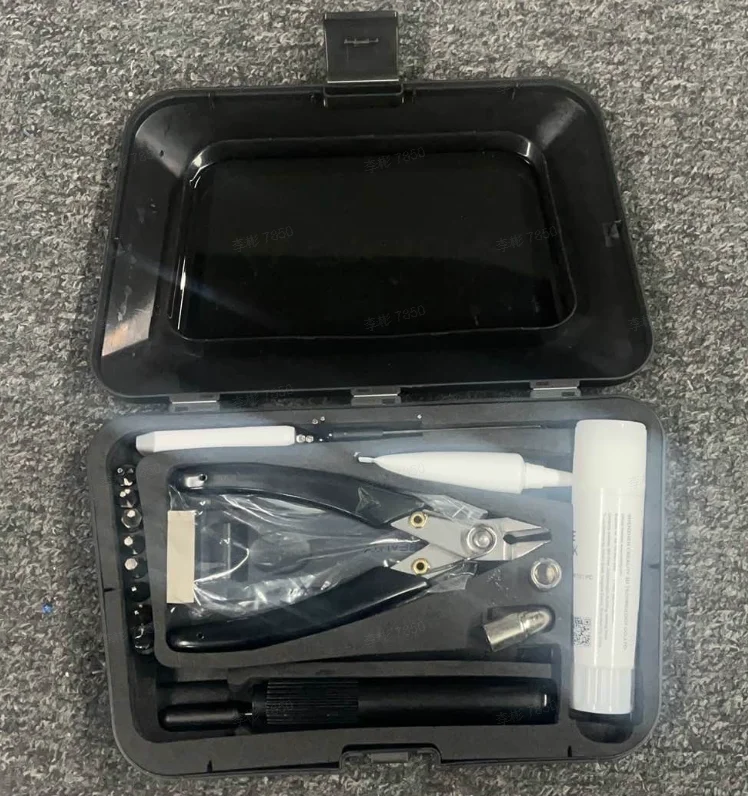
    Tool box kit

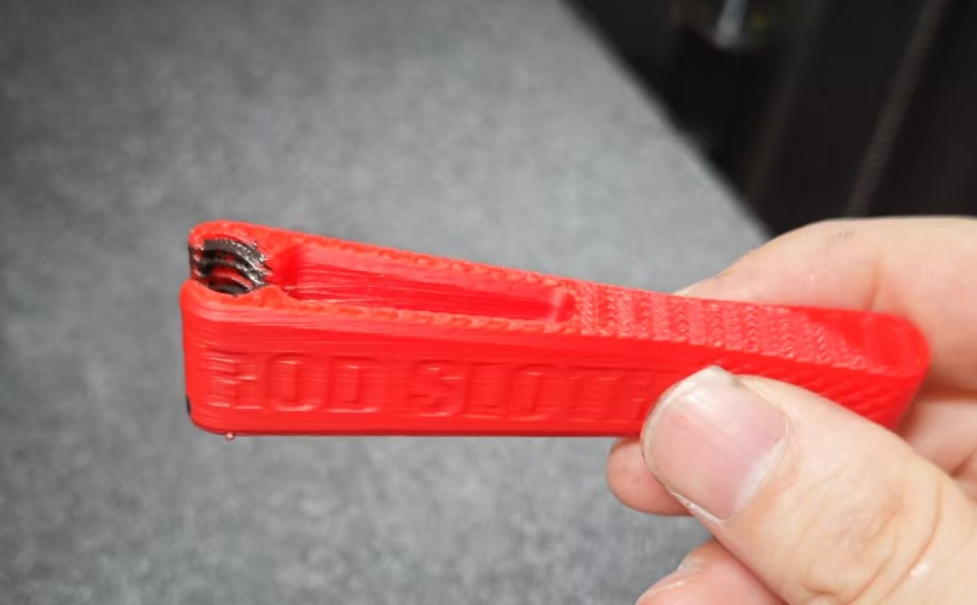
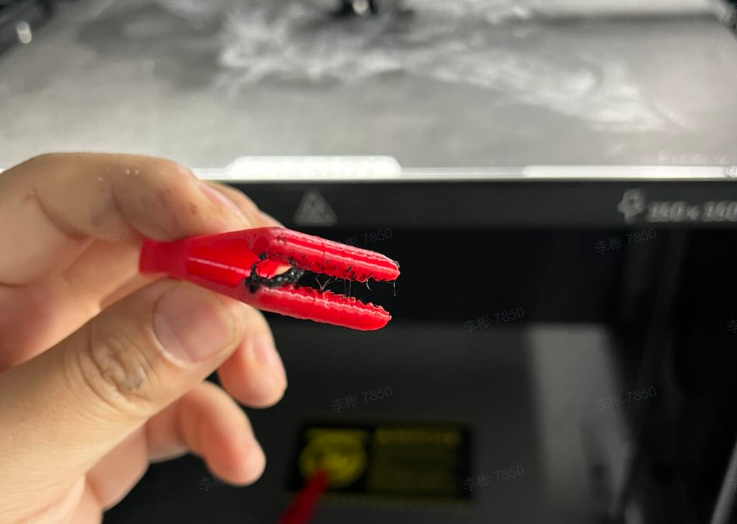
    Lead screw cleaning tool Downloads (You need two pieces of lead screw cleaning tool)

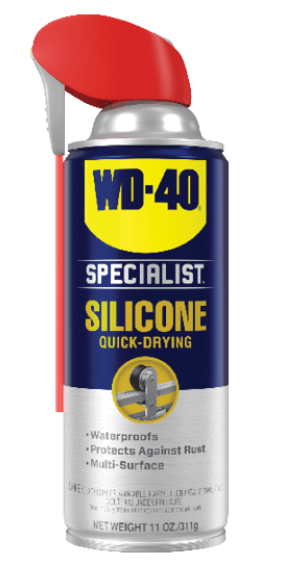
    WD-40 Specialist® Silicone (For more information about WD-40 Specialist® Silicone, please click here.)
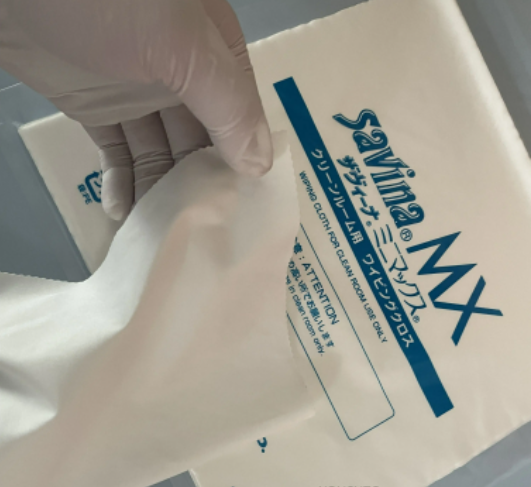
    Lint-free cloth
    K2 Plus tool box kit
    Lead Screw Cleaning Tool
    WD-40 Specialist® Silicone

    Operation Steps

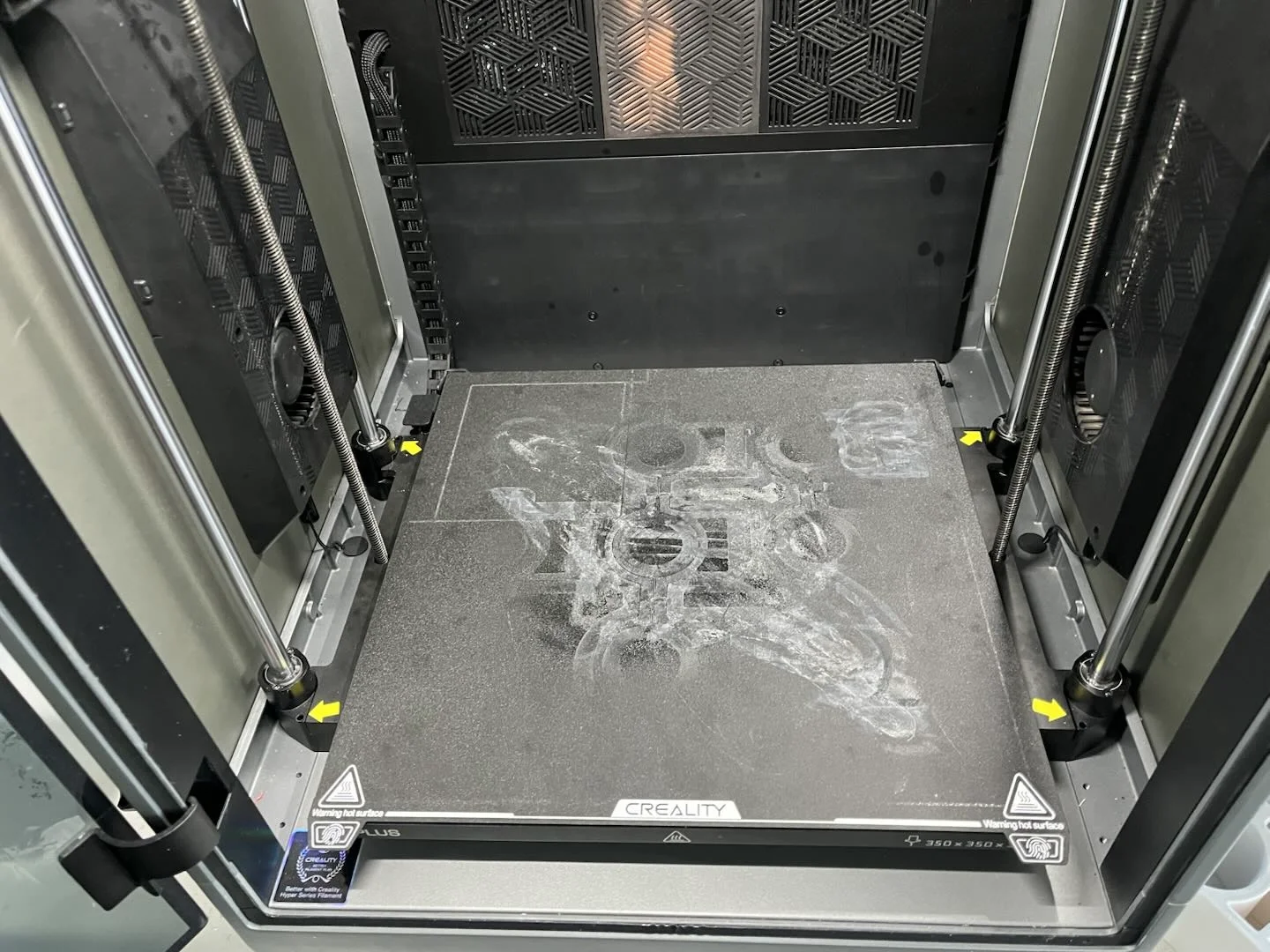
    Operate the printer's Z-axis homing. After homing is completed, control the Z-axis movement to lower the Z-axis hot bed platform to the bottom.
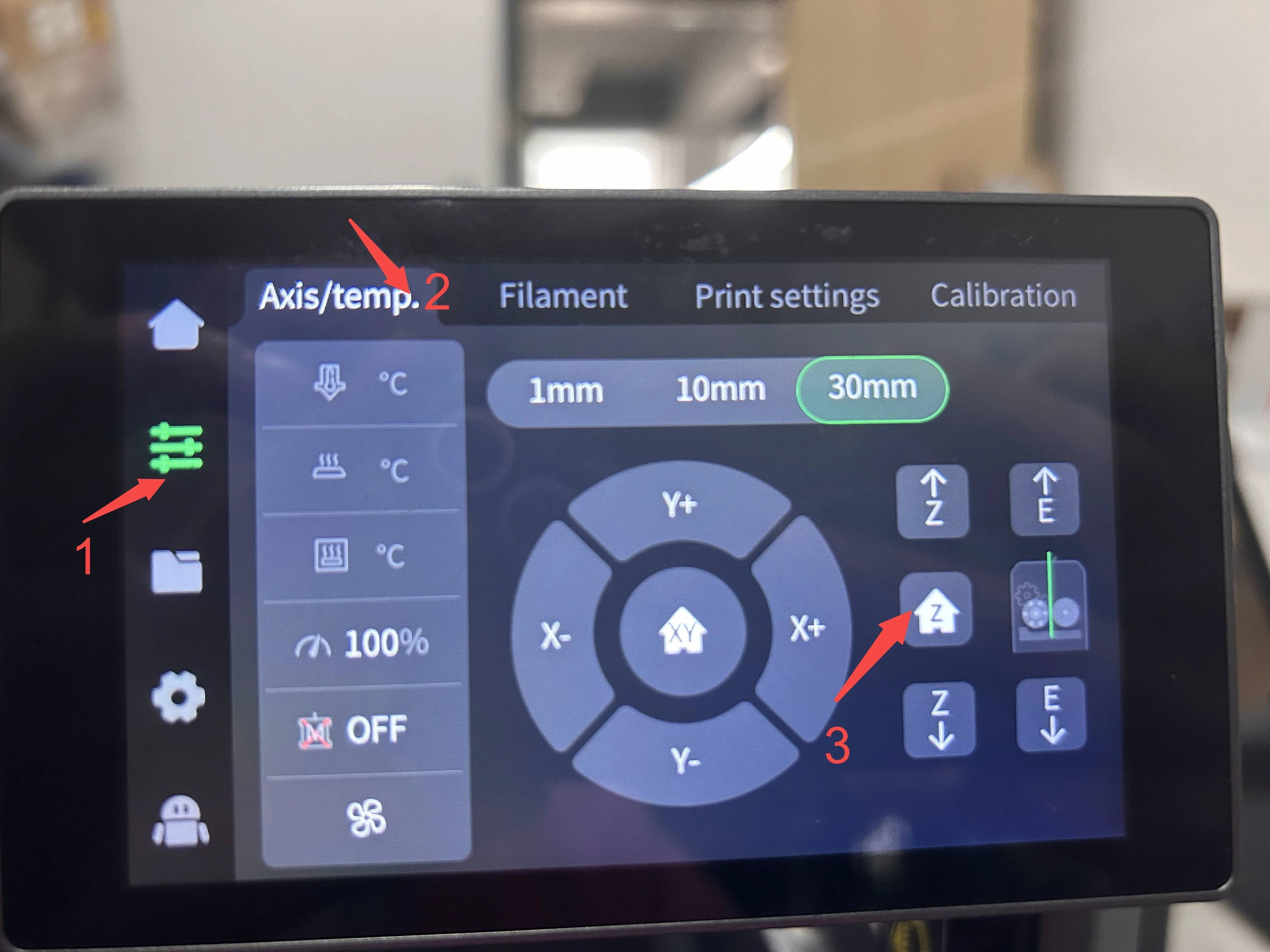
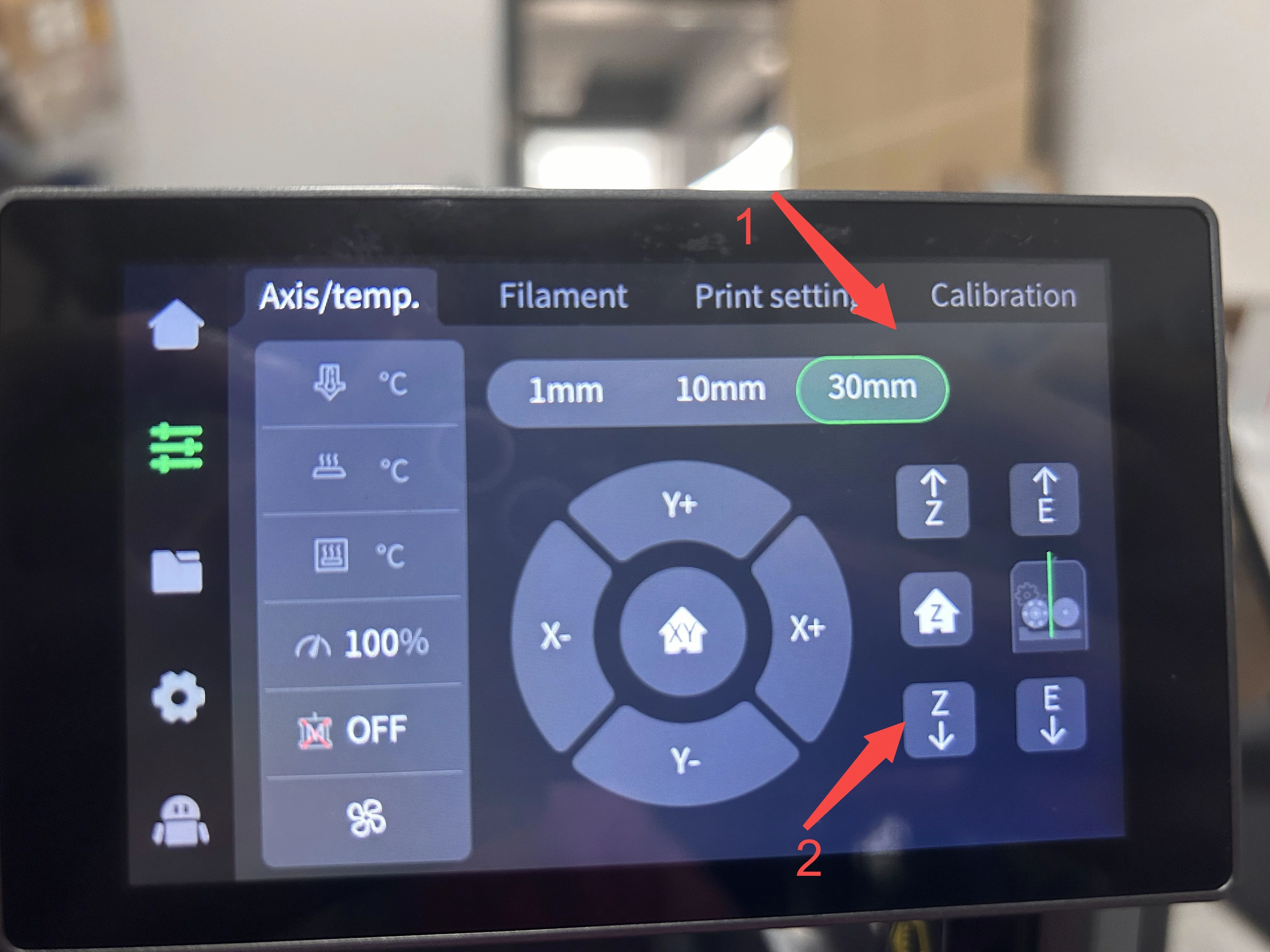
    Operate the printer's Z-axis-1
    Operate the printer's Z-axis
    Z-axis hot bed platform to the bottom

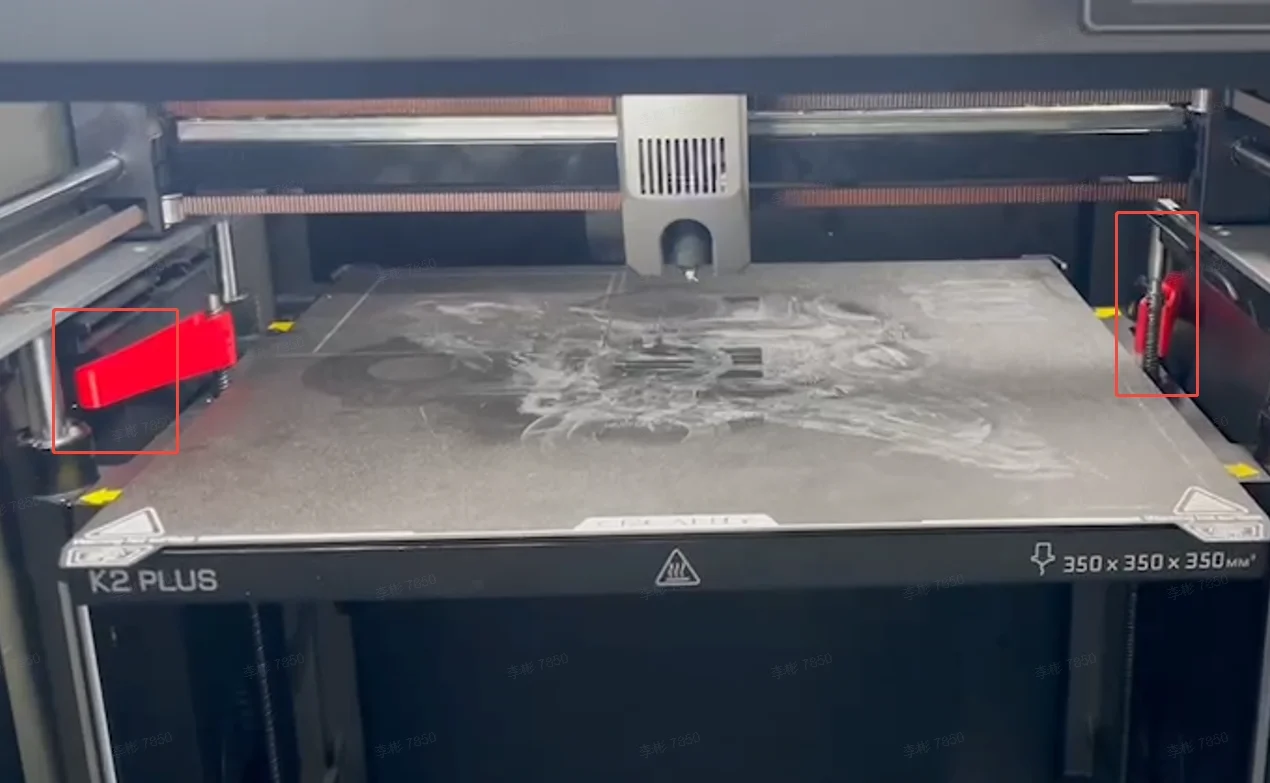
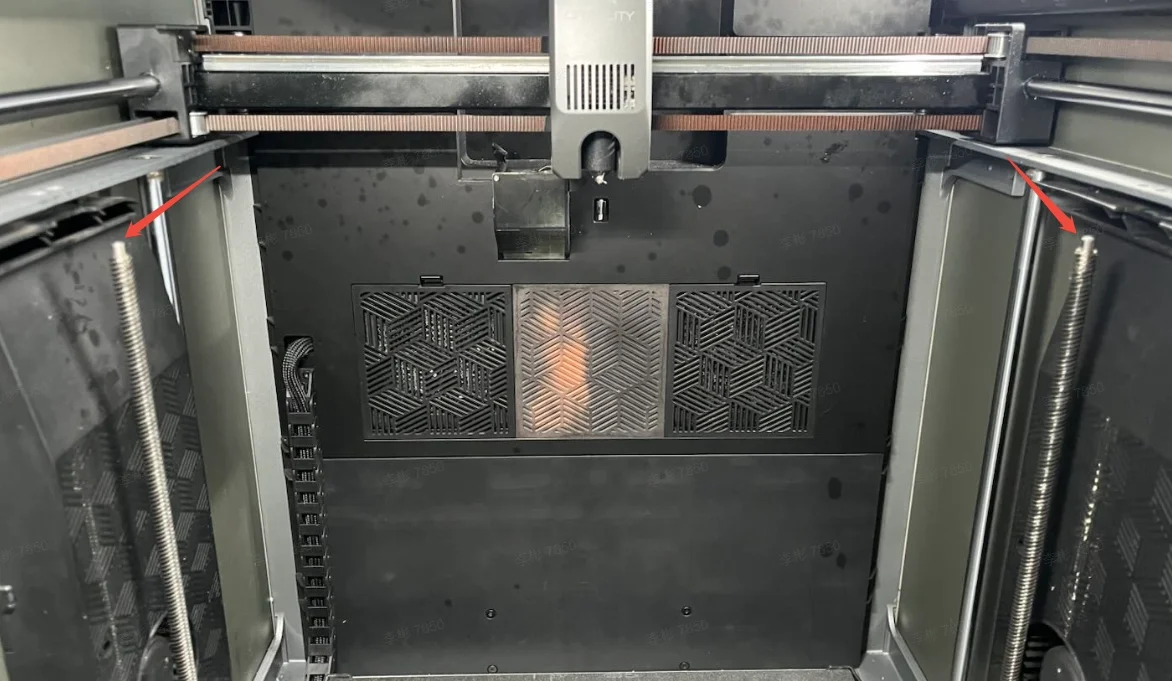
    Remove the Z-axis lead screw cover at the top using a screwdriver. Then place the lead screw cleaning tools at the bottom of the lead screws. Each side with one lead screw.
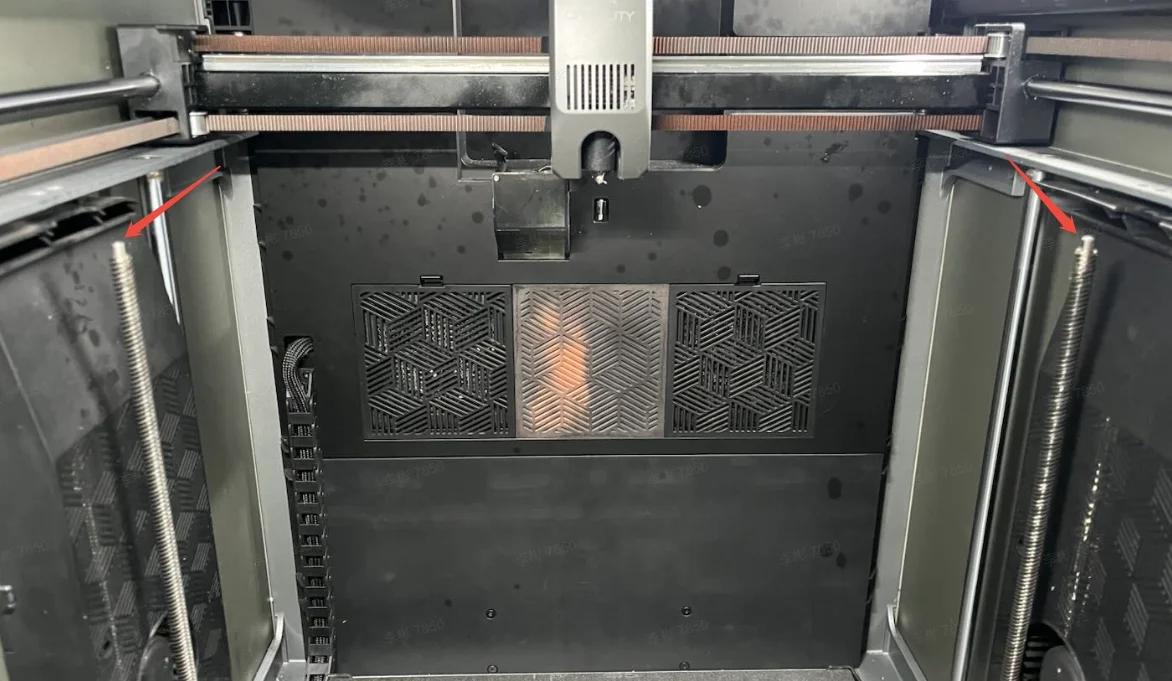
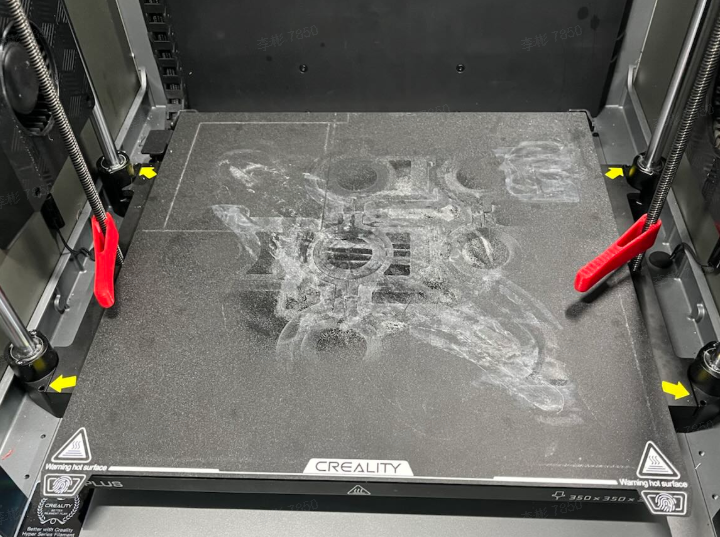
    Remove the Z-axis lead screw cover
    Remove the Z-axis lead screw cover-1

    Click the screen “Z-axis ⇡” . As the machine rises, the lead screw cleaning tools will also rise, capturing and carrying the black, thread-like sticky substance on the lead screws. Stop the upward movement when approaching the end of the lead screws to prevent collision between the tools and the auxiliary fan duct which could cause damage. Manually remove the cleaning tools from the top of the lead screws.
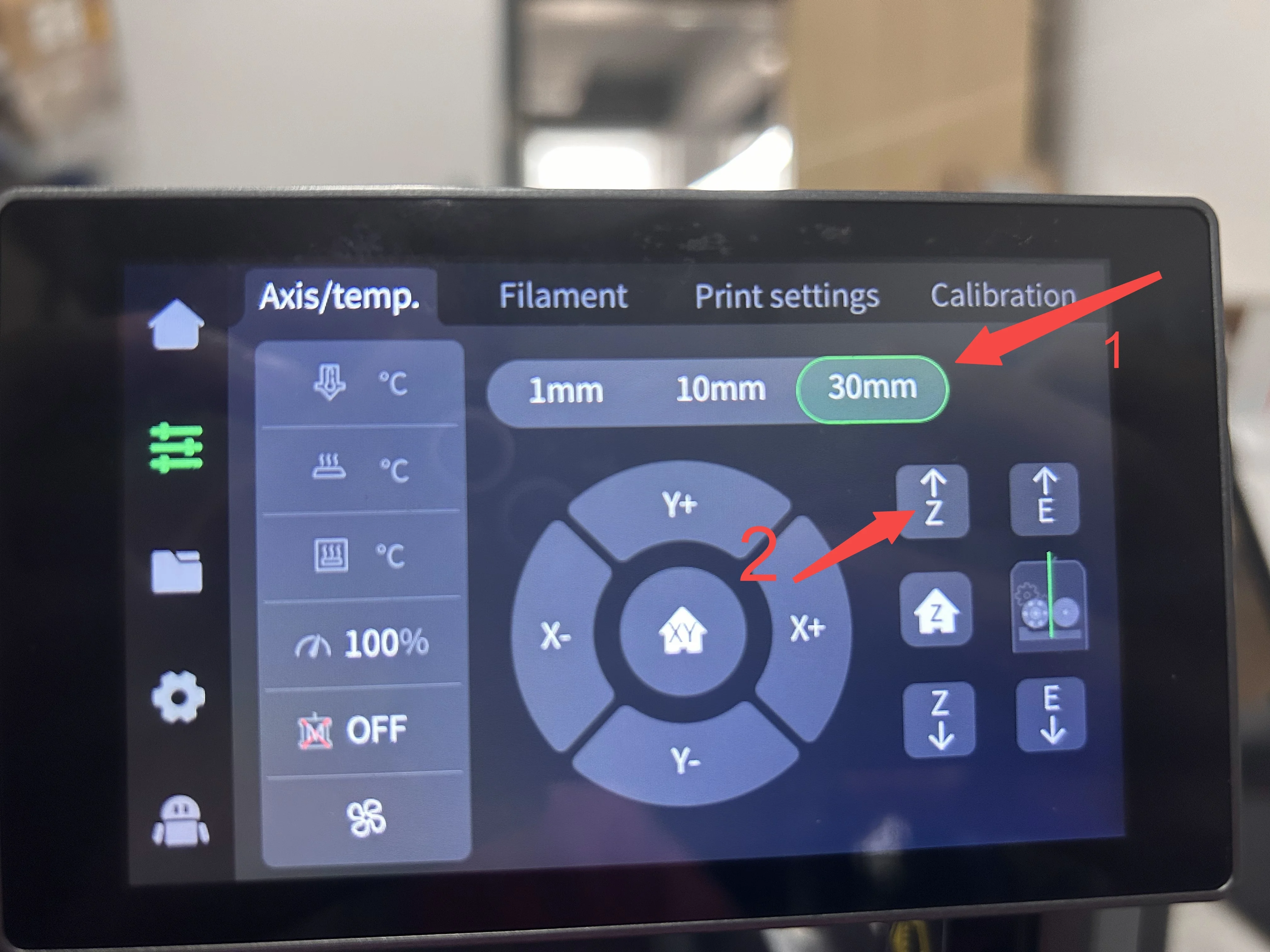
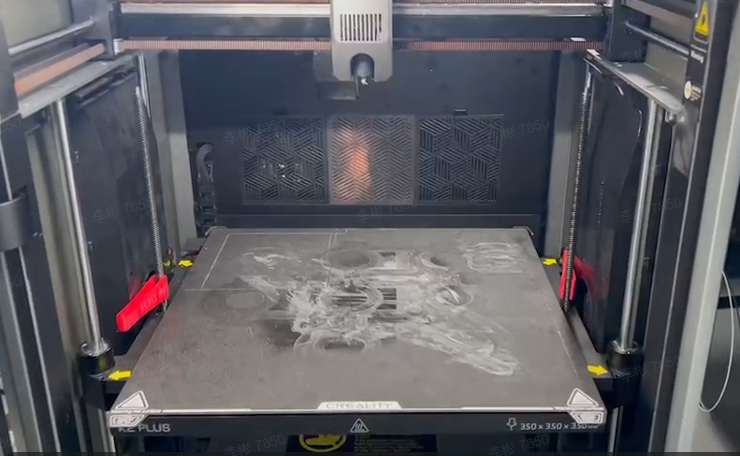
    K2 Series Z-axis Lead Screw Cleaning
    K2 Series Z-axis Lead Screw Cleaning-2
    K2 Series Z-axis Lead Screw Cleaning-3
    K2 Series Z-axis Lead Screw Cleaning-3

    If sticky substances remain, repeat the cleaning process by lowering the hot bed again until thoroughly clean. Use the lint-free cloth to wipe off the black substance from both ends of the lead screws.
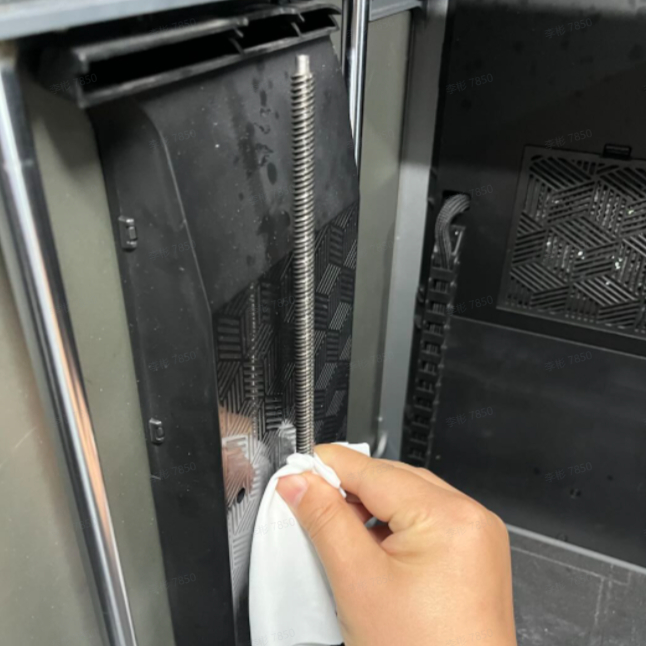
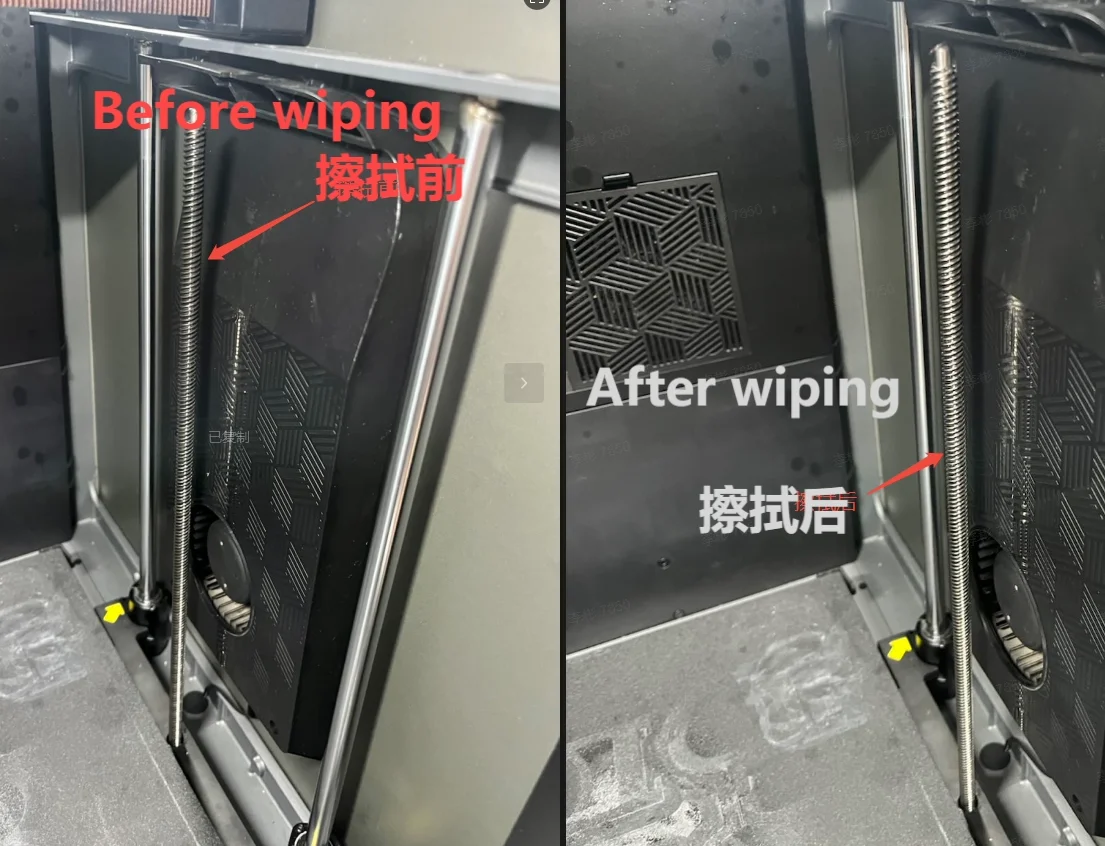
    repeat the cleaning
    repeat the cleaning process

    After cleaning, shake the WD-40 Specialist® Silicone well and spray it on the lead screws, ensuring the lubricant covers the entire length. Let it sit for about 5 minutes. During this time, reinstall the Z-axis lead screw cover. After installation, manually click the screen “Z-axis homing” and move the platform up and down to distribute the lubricant evenly.
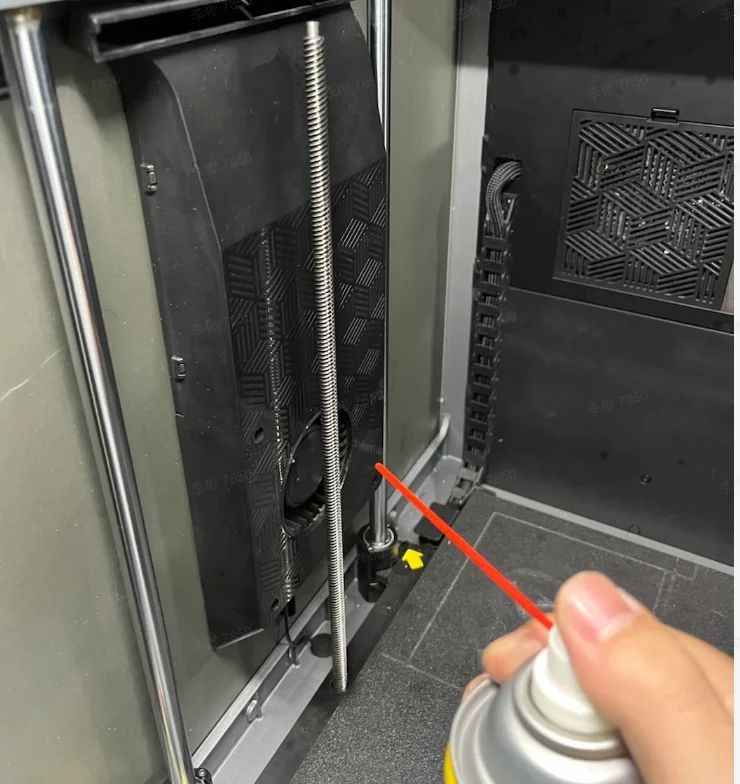
    WD-40 Specialist® Silicone (2)
    Remove the Z-axis lead screw cover

    Maintenance Cycle Recommendation

    Frequent use: Lubricate once per week

    Infrequent use: Lubricate once every two weeks

    SHOP

    • Store
    • Falcon Store
    • Where to Buy
    • K Series
    • Hi Series
    • Ender Series

    COMMUNITY

    • Forum
    • Creality Cloud
    • Discord
    • Reddit
    • Open Source

    SUPPORT

    • Downloads
    • Help Center
    • Video Guides
    • Warranty & Repairs
    • Creality Wiki

    ABOUT

    • Contact Us
    • Distributors
    • ShareFest Events
    • Investor Relations

    Be the First to Know

    Get the latest news from Creality.

    • Youtube
    • Facebook
    • Instagram
    • TikTok
    • Twitter
    • Reddit
    • Discord
    • LinkedIn
    Privacy PolicyTerms of SalesShipping PolicyFeedback
    United States(English)

    Copyright © 2026 Creality Co., Ltd. All rights reserved.