































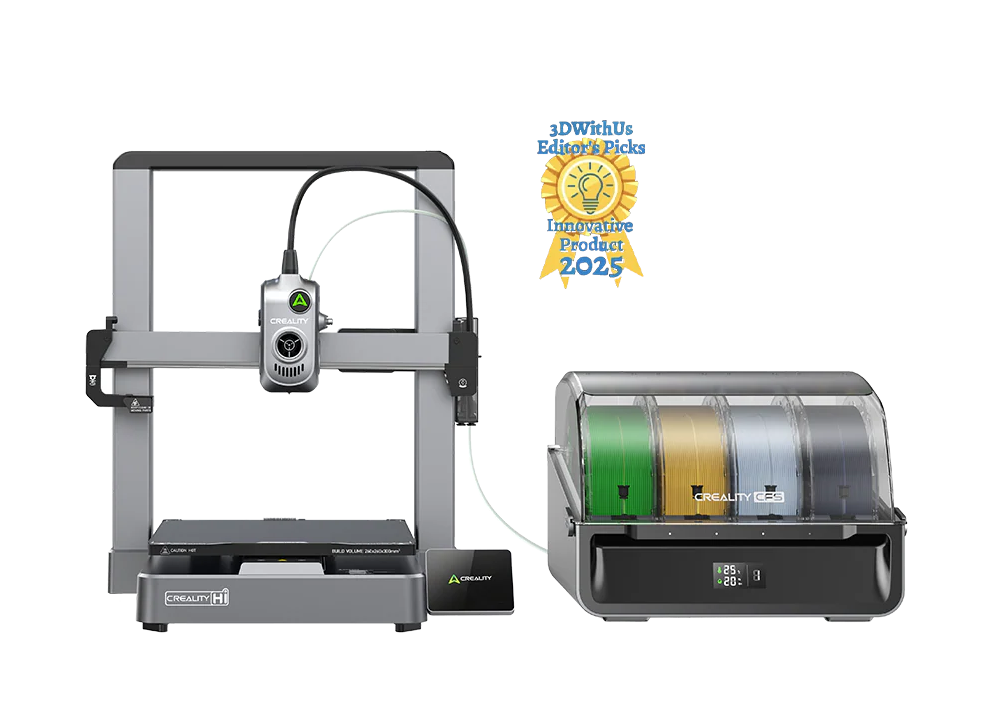
If you're searching for a fun and easy way to print your own top-quality mugs, look no further than the Creality Hi. This highly advanced machine is so smart that it makes creating beautiful and intricate prints easier than you imagined possible. With a range of user-friendly features and up to 16 color options, you can unleash your imagination and make unique, one-of-a-kind mugs that showcase your creativity. Let's examine how to print your own mug using the Creality Hi and explore all the exciting features that make this printer a standout in its class.
How to Print a Mug with Creality Hi
Before you start printing your mug, it's important to have the right materials on hand. For this print, you'll need:
-
Your Creality Hi printer
-
Food-safe filament in your favorite colors
-
Slicing software like the Creality print
-
Food-grade epoxy
-
3D modeling software from sites like Creality Cloud.
Once you've gathered all of your materials, you're ready to get started! The good news is that the Creality Hi is incredibly user-friendly and easy for all experience levels. Whether you're a beginner or have extensive experience with 3D printing, the simple process makes creating mugs, full-sized figurines, or anything else you can imagine simple and fun.
Step 1 : Download a print or design your mug
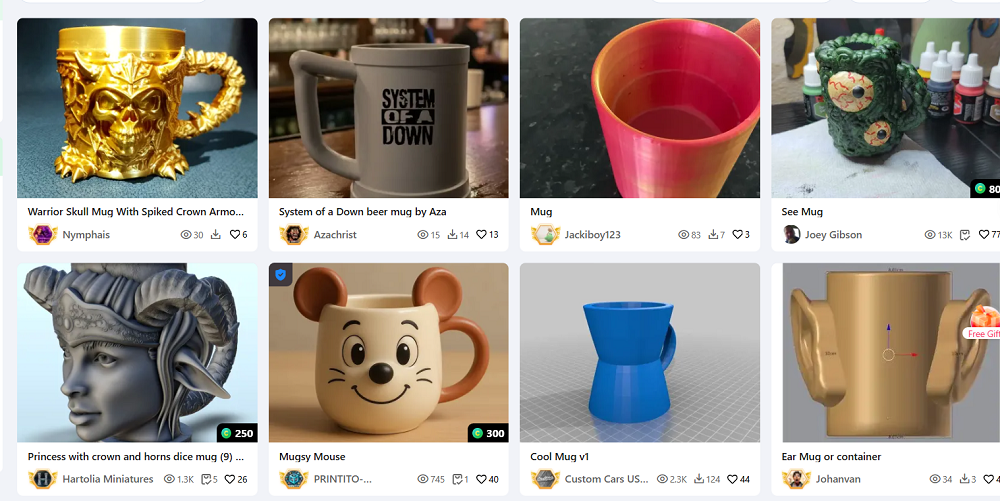
The Creality Hi allows you to either create your own mug design using software like Tinkercard or choose from a wide selection of models on Creality Cloud. Once you've chosen your mug design, you can move on to step 2.
Step 2 : Slice your model
It's now time to import the mug design into the slicing software. Take your time with this step, adjusting the settings like supports and infill for a seamless print.
Pro tip - To ensure a watertight print, set a high infill percentage (100% is recommended) and add supports so the handle prints correctly.
Step 3 : Print your mug
Once you've imported your design to the Creality Hi and adjusted the settings, it's time to start printing. During the printing process, you can sit back and relax as it effortlessly creates your mug with insanely fast printing speeds up to 500 mm/s.
Step 4 : Smooth and finish
Once your mug is finished printing and has cooled completely, you can remove the supports and inspect it. Now is the time to carefully sand and smooth the surface, depending on the filament used. It's important to note that on PLA prints,acetone smoothing isn't recommended. Once your mug is smooth and all lines are eliminated, you can move on to the final step.
Step 5 : Apply the epoxy
Applying the epoxy is the final and arguably most important step. This last stage is where you take your mug from a beautiful print to a practical one. Using a food-safe epoxy, apply thoroughly to the entire interior, taking special care to fill all crevices to create a watertight seal. Once coated, allow to dry according to the product specifications. You're now ready to use your custom 3D printed mug!
Why Choose Creality Hi
When it comes to 3D printing, the Creality Hi stands above the rest. It has numerous features that make it the top choice for anyone looking for a hassle-free way to add fun and color to their prints. Let's explore some of the top features you can look forward to when choosing the Creality Hi 3D printer.
Multicolor 3D printing
Creating colorful prints is a breeze with the Creality Hi. Pair as many as 4 CFS units for up to 16 color printing options so you can add color to the world around you!
Hassle-free set-up and calibration
The Creality Hi is ideal for beginner to advanced users thanks to its hassle-free calibration settings that allow for auto filament identification, auto leveling, and PA tuning. It arrives 95% pre-assembled and is ready to go in only 8 minutes after tightening just seven screws. The pre-assembled 3.2" touchscreen is highly responsive for effortless navigation and discreetly folds away when not in use.
All-metal body
When it comes to your 3D printer, top-quality construction is essential for smooth, intricate prints. The Creality Hi frame is crafted from ultra-sturdy die-cast aluminum alloy, making it durable, rigid, and stylish. An integrated filament run-out sensor allows for more accurate monitoring of filament breakage or run-out, reducing waste. Additional features, like an upgraded bed leveling sensor, an automated filament cutter that can be magnetically pulled back into position after cutting, and metal extruder gears, make the Creality Hi one of the toughest printers on the market. The printer's robust construction gives it the stability and strength necessary for reliable performance every time.
Easy maintenance
The Creality Hi is modularly designed, making the extruder easy to maintain with higher reparability. It also boasts a clog-free and quick-swap tri-metal nozzle that's tipped with hardened steel, taking the stress out of the printing process.
Lightning-fast printing speed
Create high-quality prints faster thanks to the Creality Hi up to 500 mm/s max speed and 12000 mm/s max acceleration. Built-in dynamically balanced fans, smooth linear rods, and a frictionless linear rail allow for a silent mode: ≤ 48 dB, lowering operating noise, for a quiet printing experience. Don't let the speed scare you; an advanced input shaping algorithm analyzes vibrations and generates counteracting signals that actively cancel them out. The result? Smoother surfaces and reduced ringing even at the highest printing speeds.
Built-in camera
Now you can record your 3D prints as they're made with a built-in camera. Video monitoring of your print jobs is easy with Creality Hi, with advanced features like one-tap sharing for time-lapsed videos and a camera cap for privacy protection.
Advanced Creality Software
Creality is known for more than just top-quality 3D printers; its advanced software unlocks the full power of your Creality Hi. Creality OS is the most advanced software for seamless workflow, featuring smart multi-filament management that allows for fine-tuning with root access or in expert mode. It also supports FLUIDD WebUI, making for the ultimate in convenience.
Creality Print 5.1 has undergone a complete rebuild, with over 40 filament presets, multicolor 3MF model slicing, and multi-printer control via LAN. Creality Cloud lets you engage with the 3D community, with access to an extensive 3D model library with models in a diverse range of categories. It also features an app for cloud printing, where you can slice, print, and monitor your prints straight from the cloud, so you can see your progress anytime, anywhere.
Bigger build volume
With the Creality Hi, you can create prints of all sizes. A 260 x 260 x 300 mm build volume allows for extended heights, allowing for full-size, functional prints that unlock your creativity.
Printing a 3D mug with the Creality Hi printer is quick and easy, thanks to its wide range of advanced features. It's just one in an impressive collection of quality printers from Creality for 3D printing simplified. Explore the full collection and discover why Creality is the most trusted name for 3D printers designed to bring your imagination to life.