Creality 3D-Drucker-Hilfezentrum: Häufig gestellte Fragen und Fehlerbehebung
/
How to get log and dmp files when Creality Print 6.x crashes?
How to get log and dmp files when Creality Print 6.x crashes?
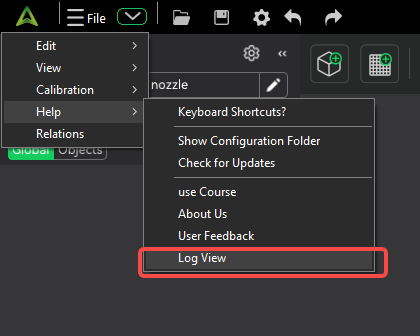
1. Click on the drop-down arrow in the upper left corner > Help > Log view
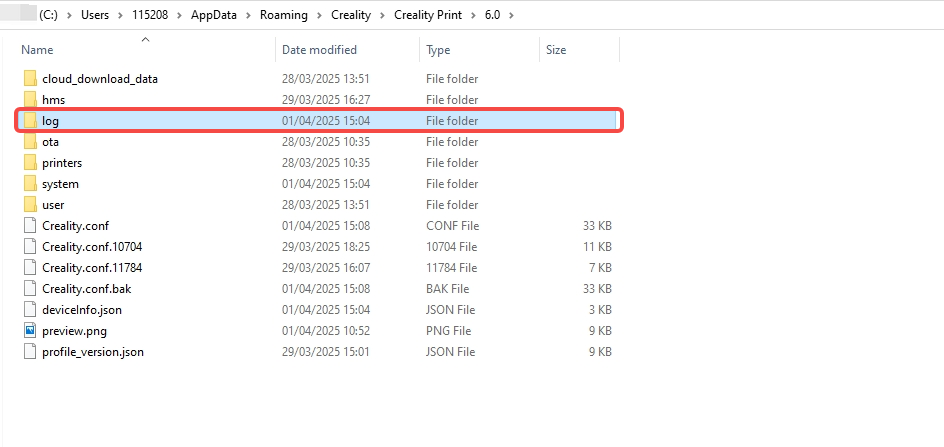
2. The folder in the picture already contains all the dmp and log files of the crash, you can zip the file and send it to our technical support channel.
War diese Seite hilfreich?
Hilfreich
Nicht hilfreich
Brauchen Sie Hilfe?
Brauchen Sie Hilfe?
Absturzprotokolle und DMP-Dateien in Creality Print finden


 Entdecke den K3 🔥