

Simplified Interface| More Processing Options|Four Views|Optimized Algorithm
We received many feedback and suggestions from customers since Creality CR-Scan 01 was released in April. To provide better service, we quickly responded with several updates and the latest version 1.7.5.086 has some remarkable functions that you can’t miss.
Simplify operation interface
From buttons and options to a simple interface, model scanning can be completed in only three steps. This makes it easier for new users to get started with ease.
More processing Options
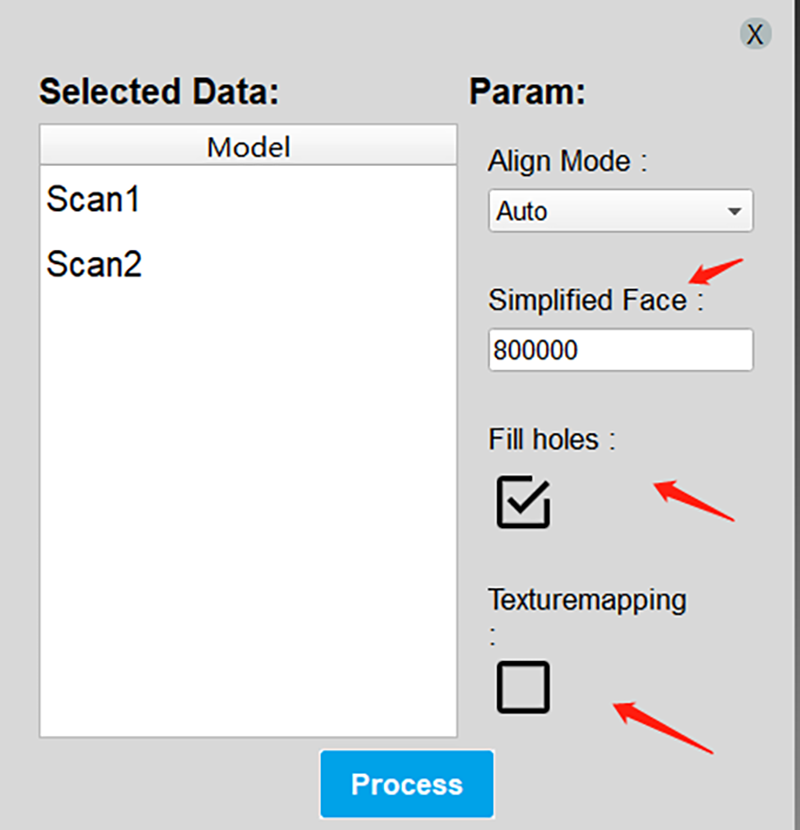
Choose “Fill holes” “Texture mapping” or not at your will. You don’t need to wait as long as it used to be. Enter “Simplified face” quantity, the more the clearer model detail will be.
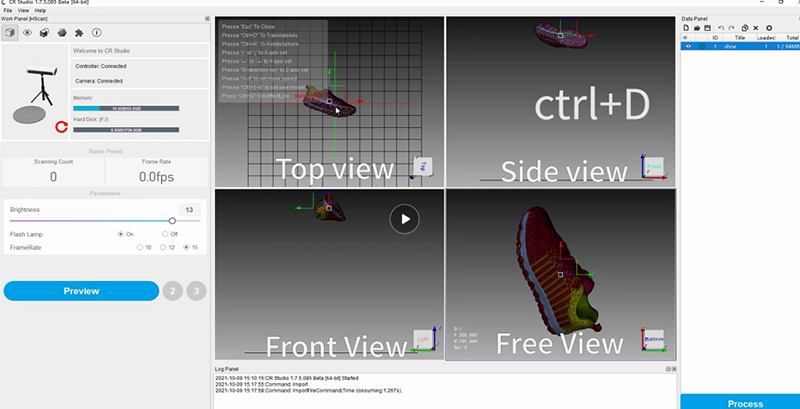
Four-view to adjust position
Move models by controlling up down left right buttons on keyboard to view it at different positions and adjust its coordinate system position. In this way, you don’t need to worry about coordinate system position errors when opening models files exported from CR Studio in other 3D modeling software.
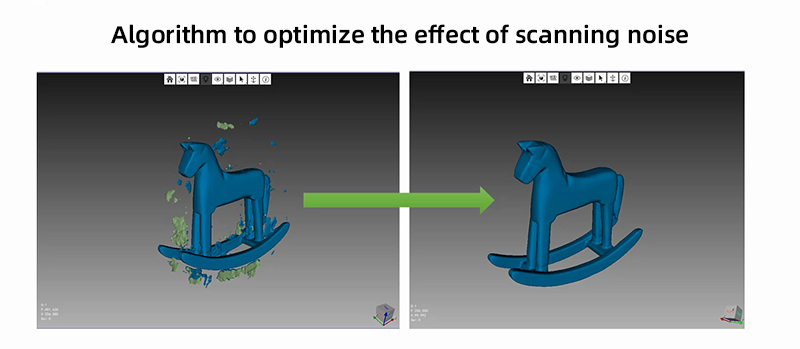
Optimize Algorithm
The software algorithm has been greatly optimized. Scanning noise has been significantly reduced so that you can save manually deleting time.
We recommend you use the latest version to discover more features. More importantly, the next version which is compatible with Mac OS is expected to be ready in December. Please stay tuned!
Tips: Tutorials for CR-Scan 01
Turntable Mode Operation(Installation,initialization, Scanning): https://youtu.be/XKUcylRtbv8
Turntable Mode Software Operation(Scanning, Manual alignment): https://www.youtube.com/watch?v=m5Q8ezswitc
Editing Mode Operation: https://www.youtube.com/watch?v=eNGr22_6Yus
Handheld Mode Operation: https://youtu.be/VYTrB4Dw-fQ
Virtual Scan Demo: https://www.youtube.com/watch?v=PteY4cYnmtU
Product Parameter: https://www.creality.com/goods-detail/creality-scanner-cr-scan-01