

Crealityへようこそ    SPARKX i7 🔥

Creality
Store
  • すべての製品
  • ソフトウェア
  • ブログ
  • サポート
  • Creality Cloud
  • M1 & R1
  • 日本 (日本語)
Cancel

クイックリンク

    Creality
    すべての製品ソフトウェアブログサポートCreality CloudM1 & R1
    Store
    SPARKXシリーズフラッグシップHi シリーズEnder シリーズ
    SPARKX i7
    新しい
    SPARKX i7
    その他の製品
    比較
    K2コンボ3Dプリンター
    新しい
    K2コンボ3Dプリンター
    K2 Pro コンボ 3Dプリンター
    新しい
    K2 Pro コンボ 3Dプリンター
    K2 Plus
    K2 Plus
    K1 Max
    K1 Max
    K1C
    K1C
    その他の製品
    比較
    Creality Hi
    Creality Hi
    その他の製品
    比較
    Ender-5 Max
    新しい
    Ender-5 Max
    Ender-3 V3 Plus
    Ender-3 V3 Plus
    Ender-3 V3
    Ender-3 V3
    Ender-3 V3 SE
    Ender-3 V3 SE
    Ender-3 V3 KE
    Ender-3 V3 KE
    その他の製品
    比較
    ブログセンター / CR-10 Smart V1.0.10 Firmware Notification

    ニュースレターに登録

    3Dプリンティングの最新情報、ステップごとのガイド、次の3Dプリント体験に役立つインスピレーションをお届けします。

    購読することで、当社の 利用規約 および プライバシーポリシー.

    ソーシャルメディア

    • YouTube
    • Facebook
    • Instagram
    • TikTok
    • Twitter
    • Reddit
    • Discord.com

    CR-10 Smart V1.0.10 Firmware Notification

    Oct 22, 2021 09:11:11

    cr-10 smart

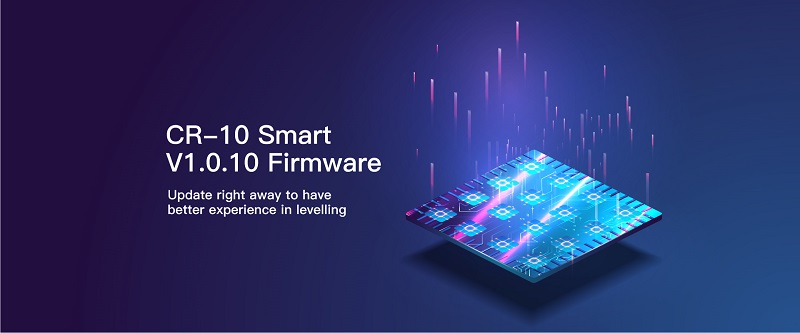
    After receiving feedback from a number of users regarding the leveling capabilities of the CR-10 SMART 3d printer, Creality's product researchers quickly responded with an update to the CR-10 SMART firmware. Following are the Tips for better leveling.

    One-click upgrade to the latest firmware version v1.0.10. 

    Don't know how to download and upgrade? Please keep checking.

    First, please visit here to download the latest CR-10 SMART firmware,
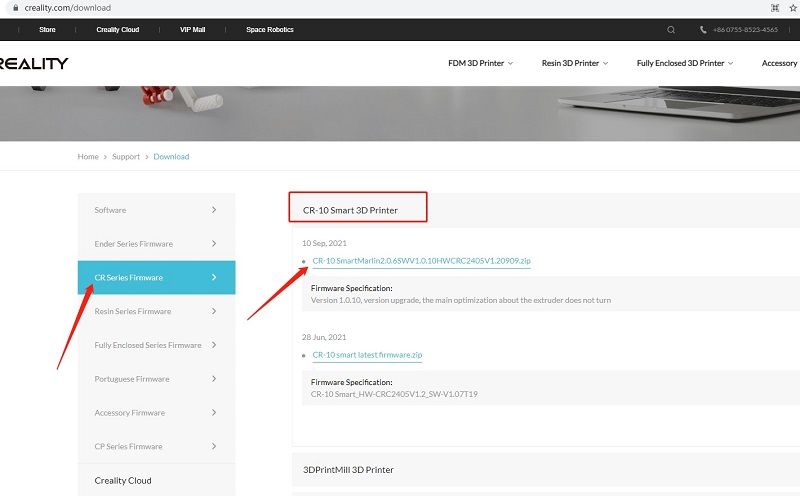
    download

    Second, watch the YouTube video to upgrade step by step:

    For perfect printing, please also follow simple troubleshooting as below:

    1. All pulleys must not be idle.

    2. Check whether the catches snap into place.

    3. Use measuring equipment to check whether the distance between both ends of the X-axis is the same.

    4. Check the platform whether shaked.

    5. Check all belts whether are properly tensioned.

    6. Check screws securing both sides whether are locked.

    7. Check the nozzle kit assembly whether is properly tensioned.

    ショッピングと学習

    • ストア
    • K2シリーズ
    • Hiシリーズ
    • Enderシリーズ

    コミュニティ

    • Forum
    • Creality Cloud
    • Discord
    • Reddit
    • オープンソース

    サポート

    • 製品サポート
    • ダウンロード
    • ヘルプ
    • ビデオ
    • アフターサービス
    • 公式ウィキ

    会社情報

    • 会社概要
    • お問い合わせ

    いち早くチェック

    Crealityの最新情報を入手。

    • YouTube
    • Facebook
    • Instagram
    • TikTok
    • Twitter
    • Reddit
    • Discord.com
    配送ポリシー
    日本(日本語)

    著作権 © 2025 Creality 3D Technology Co., Ltd. 無断複写・転載を禁じます。