How to get log and dmp files when Creality Print 6.x crashes?
How to get log and dmp files when Creality Print 6.x crashes?
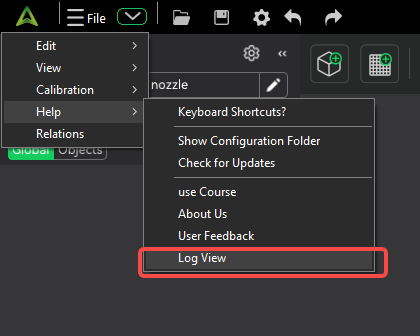
1. Click on the drop-down arrow in the upper left corner > Help > Log view
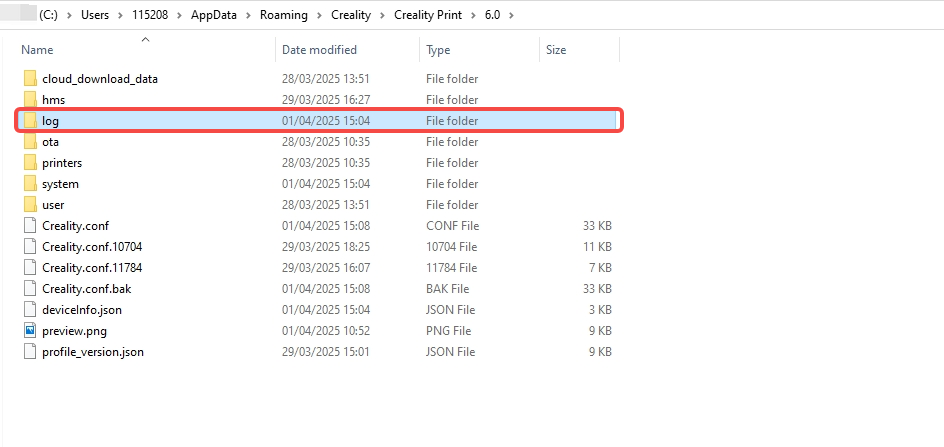
2. The folder in the picture already contains all the dmp and log files of the crash, you can zip the file and send it to our technical support channel.
このページは役に立ちましたか?
役に立った
役に立たなかった
サポートが必要ですか?
サポートが必要ですか?
How to get log and dmp files when Creality Print 6.x crashes?